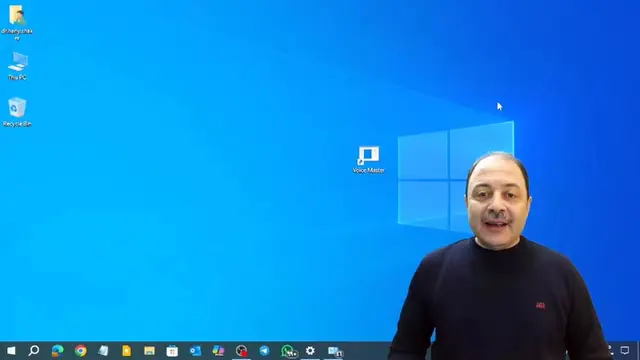
Loading video…
All breakouts
4.0Talking HeadOther hookAI Tools
Hook
بقولك ايه
@maestro_technology
39.6K followers · usually 15.1K views a post
Views
60.9K
Likes
2.4K
Comments
60
Shares
736
Promoted product
SSD FRESH
Product placement
SSD FRESH: This software is used to monitor and optimize SSDs. It shows health status, temperature, operating hours, and read/write operations. Removing it would change what happens in the video.
Call to action
Like and comment on the video.
On-screen text
SSD FRESHnOverviewnSSD InformationnSystem OptimizationnSelected SSDnSUPERSONIC256nHealth statusnEXCELLENTnS.M.A.R.T.nLive-AnalysisnStart analysisnLatest AnalysesnClick on Start analysis to monitor write activities of your SSD disks.nTemperaturen40°CnOperating hoursn5205 hoursnTotal read operationsn25.56 TBnTotal write operationsn30.65 TBnStart countn2828 timesnSSD InformationnHard drive namenSUPERSONIC256nDrive lettersnC:nNumber of partitionsn3nInterfacenSerial ATAnHard drive sizen238.47 GBn90.42 GB FreenOptimize SettingsnLet SSD Fresh optimize your settings automatically or configure the options manuallyn100%nOptimizedn0/13nsettings can be optimizednOptimize nownSettings GuardnAll set. No setting changes detected.nrecommendednNot recommendednIndexingnThis function creates an index file for speeding up Windows searches.nMore InformationnDrive optimizationnThis function defragments data on your hard disk and thus tries to speed up the access.nMore InformationnTimestampnThis function stores the time of access for each file access.nMore InformationnHibernatenThis function saves all settings, open files and programs in a file and then turns off the computer.nMore InformationnFastbootnThis function prevents a complete shutdown of the computer.nMore Information
Original caption
خلى الهارد بتاعك ال SSD شغال لفترة أطول واحميه من التلف #حماية_SSD #إطالة_عمر_الهارد #نصايح_مفيده #SSDProtection #HardDriveCare #TechTips #مايسترو_التكنولوجيا
More from @maestro_technology
More breakout videos from this creator.