Loading video…
All breakouts
6.4App DemoProblem Callout hookAI Tools
Hook
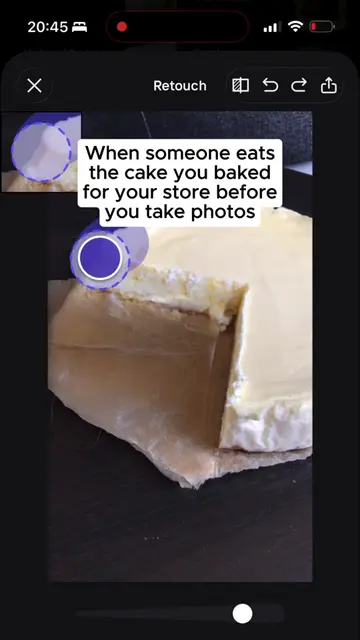
When someone eats the cake you baked for your online store before you take photos
@createwithmarta
1.1K followers · usually 854 views a post
Views
5.3K
Likes
61
Comments
0
Shares
0
Why it worked
The video uses a relatable and humorous scenario (a baked good being eaten before being photographed for an online store) to showcase the practical utility of the Photoroom app. The native mention of the app's features, combined with the seamless integration into a workflow that ends with a Shopify sync, makes it a compelling demonstration for potential users.
Summary
The video shows a user editing a photo of a partially eaten cake using the Photoroom app. The app's retouching feature is used to restore the cake, and then various AI-generated product staging images are shown, featuring the cake in different settings. Finally, the edited cake image is synced to Shopify.
Structure
- 1User shows a cake with a bite taken out.
- 2User uses Photoroom's retouching tool to fix the cake.
Original caption
There's nothing my favorite app can't solve 🥰 #photoroom #aiphotos #aiforbusiness #photoroomforshopify #onlinestore
More from @createwithmarta
More breakout videos from this creator.