Loading video…
Sound

original sound - practicalyai
practicalyai · Original audio
0:00–:––
Playing this video’s own audio, so you’ll hear the creator over the sound.
Hook
Posted May 29, 2026Video · 0:18by @practicalyai
The video provides a practical, step-by-step guide to creating visually engaging AI-powered websites, appealing to creators and developers interested in cutting-edge web design.
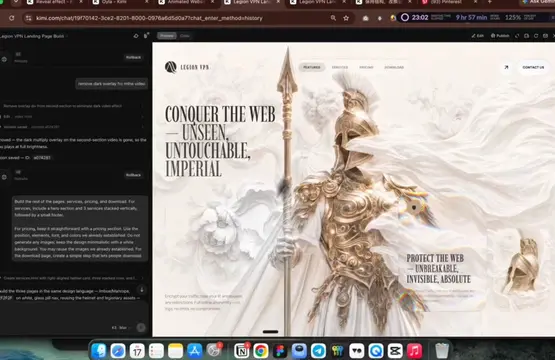
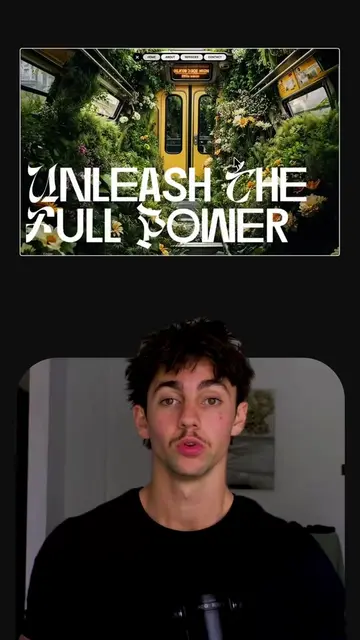
The video demonstrates how to create an interactive website using AI tools. It shows how to generate an image with AI, animate it with another tool, and then use Replit to code an immersive website based on these assets and a prompt.
Things you don’t know you can do with AI (part 210) All those viral interactive websites with AI you're seeing are create to do than you think. Step 1: Start with your main image or use AI to create those images Step 2: Use tools like Veo3 to turn those images into animation Step 3: Take that image, and video to Replit and just prompt exactly what effect you want to see when you scroll the website. And Replit will "vibe code" that immersive website for you! #aitools #practicalyai #replitpartner
THINGS YOU DIDN'T KNOW YOU CAN DO WITH AI (Part 210)
Introduce AI capabilities for interactive websites
Generate an image using AI
Animate the image using Veo3
Use Replit to code the website with animation
Showcase the final interactive website
Gemini: ACTS - used to generate an image and then animate it. Removing it would change the video. Veo3: ACTS - used to turn an image into an animation. Removing it would change the video. Replit: ACTS - used to "vibe code" an immersive website based on an image and animation prompt. Removing it would change the video. Practicaly.ai: ACTS - the creator's bio link, which leads to their website. Removing it would change the video.
Playing this video’s own audio, so you’ll hear the creator over the sound.
Promotes 3 products. Create free account to see more.
Outliers and viral hits: their videos on Overshot, all time.
AI learning platform offering updates, tools, tutorials, prompts, and workflow templates
All time.