Loading video…
All breakouts
10.3App DemoDirect Question hookCreator Economy
Hook
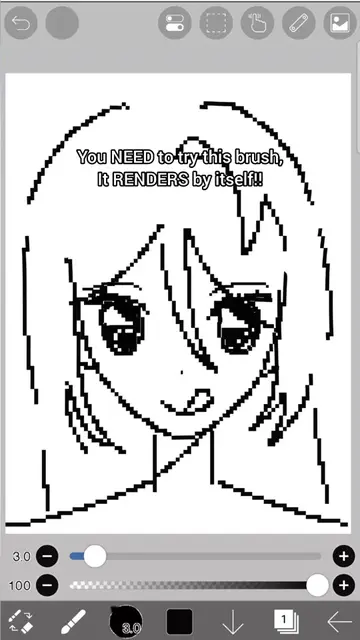
Your drawing is with bad quality/pixelated?
@tetekastu
19.8K followers · usually 28.2K views a post
Views
224.9K
Likes
25.1K
Comments
50
Shares
1.1K
Promoted product
Ibis Paint X
Why it worked
The video addresses a common pain point for digital artists (pixelation) and provides a clear, concise solution within a popular art application, making it highly shareable and useful.
Summary
This video demonstrates how to fix pixelated drawings in Ibis Paint X by adjusting grid settings. It shows the process of zooming in to reveal pixelation and then navigating through the app's settings to smooth out the image, resulting in a clearer drawing.
Structure
- 1Introduce the problem of pixelated drawings
- 2Show the pixelation issue when zoomed in
- 3Navigate to grid settings
- 4Adjust settings to smooth the drawing
- 5Show the improved, non-pixelated result
Product placement
Ibis Paint X (ACTS - it is the app being used to demonstrate a drawing quality fix; removing it would change what happens in the video)
On-screen text
Your drawing is with bad quality/pixelated?
Click here:
Grid Settings
Manga Manuscript Settings
Smooth
Pixelated
And that's it!!
No more pixels :D
Hope this helped!
Original caption
How to fix bad quality drawing #ibispaintx #digitalart #digitalartist #vinlandsaga #art
More from @tetekastu
More breakout videos from this creator.