Loading video…
All breakouts
41.3Talking HeadOther hookHealth
Hook
My name's Eric and this is my home lab.
@partridge_pumps
1.4K followers · usually 638 views a post
Views
26.3K
Likes
2.1K
Comments
67
Shares
58
Why it worked
The video succeeds by directly addressing a specific, critical comment from a viewer, which builds community trust and provides a clear, logical structure for the tour. The combination of technical expertise and a 'DIY' aesthetic makes the content highly engaging for the home-lab and tech-enthusiast niche.
Summary
The creator provides a detailed tour of his DIY home server setup, explaining the hardware components and software he uses for home automation, media streaming, and budgeting. He also demonstrates the custom modifications he made to the cabinet for improved airflow and cable management.
Structure
- 1Introduction to the home lab setup
- 2Overview of hardware components inside the rack
- 3Explanation of software and services hosted on the server
- 4Demonstration of the custom back panel and airflow design
- 5Final look at cable management and conclusion
On-screen text
Home Server Breakdown
Reply to @Flying172s comment
no air flow, 1/10. add vents to it then you'll be good
Transcript
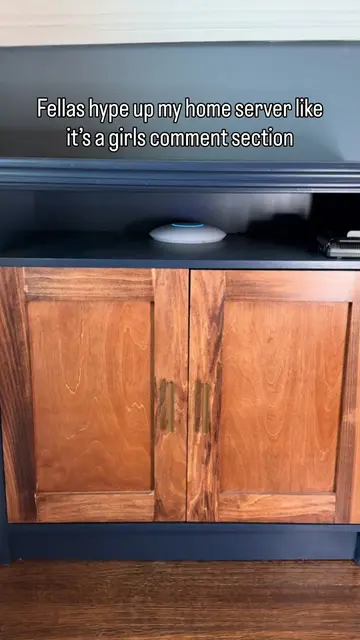
My name's Eric and this is my home lab. So this is my network cabinet that you may have already seen. I bought it off of Facebook Marketplace, sanded it, painted it, did all that good stuff. Don't worry, it was just an air wasn't real wood. And then inside it, I put my home lab slash networking rack. So going over it, I got a CyberPower UPS here that everything's connected to. And then this is the GeekPi, I believe, 10-inch mini rack, and I think it's 8U's tall. So starting off at the top, we got the ONT from my fiber provider and then the UniFi Cloud Gateway Fiber, and that goes into the UniFi 2.5 gig 8-port PoE switch. It also has two SFP ports, which is kind of cool. And this is kind of what powers a whole lot of it. Goes into a Keystone patch panel, and then the rest of it is kind of the main powerhouse of my server, I guess you'd call it. So I have the Beelink, I think EQ14 for my main server, and as well as a JetKVM. Below that, I have a Nvidia Jetson Orin Dev Kit for work, and then a HD HomeRun for over-the-air cable streaming, and then just some power supply and everything below. Got my UniFi access point, I think U6 Pro maybe. Whatever it is, I live in an apartment right now, it's single floor, so I can put it here and it covers everything fine, doesn't need to be on the ceiling or anything fancy. And as for what the home server actually does, because I'm sure a lot of you guys probably have those questions, I can self-host a bunch of stuff on it. I have Home Assistant, which is basically a better version of any smart home operating system. I have Actual Budget, which is one of my favorite budgeting apps that I use. I can have an entire media streaming suite with Plex and Jellyfin so I can stream my over-the-air television as well as any movies that I own. And then I can also do photo backups with stuff like Immich. But I am a software engineer, so this is kind of a way for me to also learn stuff outside of work and just tinker and explore. So let's get into the back, because I think it's also some pretty good cable management. So then as for the back, yes we do have airflow. I got the bottom fan pulling air in, top one pulling air out. I got my antennas mounted on the back here and they can just slide up and out when I need to take them off. The coolest part about this is I added these little push-turn buttons that you'd see on a picture frame so that I can go ahead and easily pop this entire back piece off when I need to get access to it, such as right now. Takes just a couple seconds and then boom, the entire back comes off. And that's inside. So as you can tell, pretty clean cable management. Got everything routed through these cable guides and like I said, that's really all of it. Got some more fans up top and down below and the cabling side is nicely tucked away, cable ties to hold everything together. So this is my home lab. Let me know what you think of it and let me know if you have any other questions.
Original caption
Replying to @Flying172s I originally had a whole plan to document this build out but kinda got put on the back burner during prep so here’s a quick overview of what makes up my home lab and why I have it #homeserver #minirack #server #technology #networking
More from @partridge_pumps
More breakout videos from this creator.