Loading video…
All breakouts

3.9Talking HeadOther hook
Hook
okay.
@_chrisasante
142.1K followers · usually 15.2K views a post
Views
56.9K
Likes
2.9K
Comments
19
Shares
171
Selling · Other Product
MacBook
Why it worked
The video provides practical, actionable tips for a common user need on a popular device, presented in a clear and concise manner with visual demonstrations.
Summary
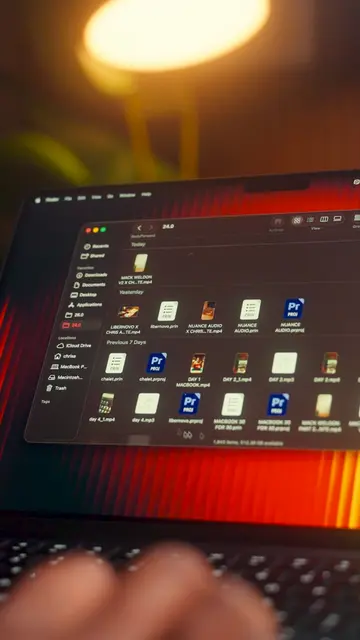
This video demonstrates two methods for taking screenshots on a MacBook. It shows how to capture a specific portion of the screen using Command+Shift+4 and how to access a more advanced screenshot menu with options for timers and saving locations using Command+Shift+5.
Structure
- 1Introduce the problem of taking screenshots
- 2Demonstrate Command+Shift+4 for partial screenshots
- 3Demonstrate Command+Shift+5 for advanced options
- 4Encourage viewers to follow for more tips
Product placement
MacBook: ACTS - the video demonstrates how to take screenshots on the MacBook. Removing it would change the video. Apple: APPEARS - the Apple logo is visible on the MacBook. Removing it would not change the video.
Call to action
make sure for the next one
On-screen text
okay.
confused on
proper
on the
you how to fix that
Master Your Macbook
30 TIPS IN 30 DAYS
7/30
Welcome back
to 30 days
tips day 7
So firstly
full
and cropping it
afterwards
CMD + SHIFT + 4
This lets
and capture
of your screen
If you need
of just
after pressing
CMD + SHIFT + 4 + SPACEBAR
CMD + SHIFT + 4 + SPACEBAR
then capture
Your MacBook will
without any
cropping.
CMD + SHIFT + 5
CMD + SHIFT + 5
it'll open
menu where
different
screenshots.
record your screen,
set a timer,
screenshots
and change
useful
So if you
like videos like these,
make sure
for the next one
Original caption
TIP 7/30🍎 Here are the BEST WAYS to take screenshots on your MacBook. #macbook #macbooktips #productivity #techtok
More from @_chrisasante
Their other posts in the index, biggest breakout first.