The video provides high-value, actionable technical advice on a trending new product, positioning the creator as an expert while demonstrating the product's utility in a real-world workflow.
Summary
The creator explains how to effectively prompt the new Claude Opus 5 model for knowledge work, emphasizing that it performs best when given the full job upfront rather than broken-down steps. He also highlights the importance of setting clear constraints to prevent the model from over-delivering and provides specific advice on model and effort settings.
Structure
1Introduction to Claude Opus 5 and its capabilities.
2Advice on choosing the right model and effort level.
3The importance of providing the full job in a single prompt.
4How to set clear constraints to avoid model overkill.
5Building a practical example prompt for a coffee brand.
Product placement
Claude (Anthropic) is the subject of the video, demonstrated through its interface and prompting guide.
Original caption
Anthropic Just Revealed How to Prompt Opus 5… Part 1 #aiproductivity#workflowautomation#claudeai#openaicodex#digitalworkflow
More from @usviralbuzz
Their other posts in the index, biggest breakout first.
On-screen text
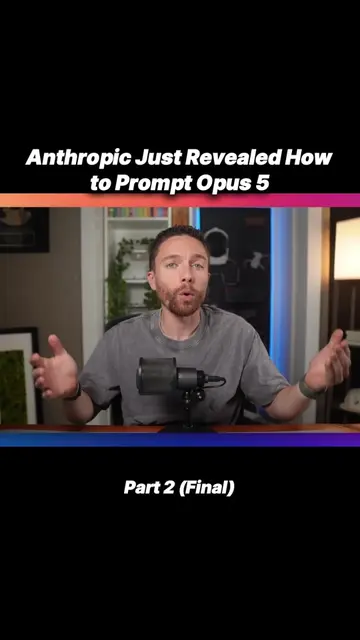
Anthropic Just Revealed How to Prompt Opus 5
Opus Part 1
Claude Opus 5 is here.
For real work
Haiku
Fine for chat. I don't use it for knowledge work at all.
Default to Sonnet. Reach for Opus 5.
Opus 5 can just be your default.
Effort controls how much thinking, not how much quality.
Low and medium are stronger than people expect.
Five rules, one prompt
01 Tell Claude the whole job
02 Set clear limits
Transcript
Claude Opus 5 is here. And on paper, it is the best Opus model Anthropic has ever released. Sometimes even better than Fable 5. But if you prompt it the same way you've been prompting previous Claude models, you are not going to get good results with it. Anthropic agrees with this, so they published an entire prompting guide for Opus 5. It is dense, but I read through this entire thing so you don't have to, and I pulled out five rules that change how I'm going to use Opus 5 for knowledge work. And some of the rules are the exact opposite of the advice we've been following for years. Let me break down for you what makes Opus 5 so unique, when you should be using it, and with whatever level, and then we'll go through those five prompting rules for Opus 5. This all starts with choosing the right model and effort level, which is more confusing than ever since we now have four models from Anthropic. The weakest model is Haiku, and the most powerful model is Fable 5. Although on many benchmarks, Opus 5 actually beats Fable 5. Regardless, Fable 5 is the most expensive. So the right model really depends on your use case and which plan you have. For myself, I never use Haiku. You could maybe use it for general questions if you're just using Claude for chat, but for any work, I really wouldn't use Haiku at all. Next, if you're using Claude for knowledge work and you're on the $20 Claude plan, you should use Sonnet as your default model and then switch to Opus 5 for your more complex tasks or when Sonnet isn't giving you the results that you're happy with. But if you're on the Max $100 plan or higher and you're using Claude for knowledge work, you can often get away with using Opus as your default model. In the past, I would have suggested that you switch to Fable for more complex work, but I suggest that even less now with the new Opus 5. It's just that good. The only time I would switch to Fable 5 is when you're unhappy with the results that you're getting with Opus 5 and want to compare it against the results that you get with Fable. But less and less, I don't think it's necessary to use Fable, and you can stick with Opus 5 for most of your tasks. You can make it more complicated by switching between Sonnet, Opus, and Fable depending on the task. That would be more optimized, but I like to keep it simple. So now, I just leave it on Opus 5 almost all the time. Okay, so let's assume you're going to use Opus 5. The next decision is what effort level are you going to use? And this is where I think a lot of people are going to make a mistake. They just assume that higher effort levels mean that it's going to produce better results. But that is not the way that Anthropic describes it. The effort setting mainly controls how much thinking Claude does, which affects the time and tokens it spends on the task. While that can produce better answers, sometimes, a lot of the time, it's just overkill. Anthropic has said that low and medium effort levels are surprisingly strong on Opus 5. For a lot of normal knowledge work, I would start there. Use low if you have the Pro plan and use medium as the default if you are on one of the Max plans. Again, you can make it more complicated, but I prefer having a simple default that I use every time, which for me now is Opus 5 on medium. Once you decide to use Opus 5 and you pick the effort level, there are five rules I would follow when writing the prompt. Okay, so as I run through these five prompting rules, we are going to build a prompt together. So let's assume we have a company called Northline Coffee, and we want help with building a website for this brand. So as we kind of go through the prompting suggestions, we will build on this prompt. But as a little bit of background, this is a small coffee brand selling beans online. We have some logos and colors and product images already that we are going to give Opus, and then we want the website to actually sell more coffee for us. So the first rule is that Opus 5 works best when you give it the full job at the start. A lot of these older models, if you had a task for it, you would often break it down into smaller steps. You might say, first, look at these files and pull from it the branding for my company. Then I want you to put together a brand guide. And then after that, I want you to put together a plan for what the website will look like. And you can still do that, but Opus 5 is better at taking a full job and working through it on its own. So we're not going to start with something like look at these images and create a brand guide for us. We're going to start with everything. So I will tell it, build a one-page website for Northline Coffee, a small brand that sells coffee beans online. The goal is to help people understand the brand, choose a coffee, and place their first order. Use the logo, colors, product details, and photos in the brand-assets folder. Build the finished website in the project folder. And already that is so much better because it gives the whole job upfront, where we are starting and where we need to end up. The second rule fixes a common issue with Opus 5. It loves to do more work than you ask it to do. That can be helpful sometimes, but often it results in Claude going overboard and doing more than you really need or want it to do. So tell it when the job ends and add some clear limits. For our prompt, we will add this. Build only the home page. Link the buy buttons to the shop page that already exists. Keep the current logo, colors, and product names. Make small design choices yourself. Only ask me a question if the answer would change the whole website. So now Claude has room to work, but it also knows what not to do.