Loading video…
All breakouts
10.2Talking HeadOther hookConsumer Apps
Hook
SO I SEE YOU HAVE AN IPHONE
@lorenzo_angeles
44.1K followers · usually 24.3K views a post
Views
241.5K
Likes
19.9K
Comments
303
Shares
19.7K
Promoted product
iPhone
Why it worked
The video provides practical, lesser-known tips for a widely used device, making it highly shareable and engaging for a broad audience. The creator's energetic delivery and clear explanations of useful features contribute to its appeal.
Summary
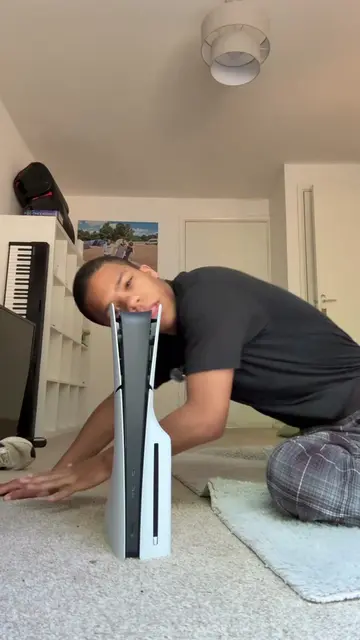
This video showcases two lesser-known features of the iPhone. It demonstrates how the 'Find My Network' feature can help locate lost items and how 'Swipe to Text' can assist with spelling. Additionally, it highlights accessibility features that can help with motion sickness and automate tasks.
Structure
- 1Introduce iPhone features
- 2Explain 'Find My Network' for lost items
- 3Explain 'Swipe to Text' for spelling
- 4Introduce accessibility features
- 5Explain accessibility features for motion sickness and task automation
Product placement
iPhone: ACTS - it is the device whose features are being demonstrated. Removing it would change the video. Apple: APPEARS - it is the manufacturer of the iPhone, visible as a logo on the device. Removing it would not change what happens in the video.
On-screen text
SO I SEE YOU HAVE AN IPHONE
HERE ARE SOME THINGS
HERE ARE SOME THINGS YOU DIDN'T KNOW YOUR IPHONE
TO DO
IF YOU'RE SOMEONE WHO LEAVES STUFF WHEN
YOU'RE OUT AND
AND YOU TEND TO FORGET STUFF
THEN THERE'S A FEATURE
IN FIND MY NETWORK
TWO OF WHICH CAN
TWO OF WHICH CAN REMIND YOU THAT YOU'VE LEFT STUFF OUTSIDE
AND TELLS YOU TO GO GET IT
AND IF YOU'RE SOMEONE WHO STRUGGLES TO SPELL THINGS CORRECTLY
THERE'S A FEATURE CALLED
SWIPE TO TEXT
WHICH WILL AUTOMATICALLY GUESS WHAT YOU'RE
TRYING TO TYPE
AND SPELL IT CORRECTLY
FOR YOU NO SPELLING
DID YOU ALSO KNOW YOUR
PHONE HAS A SECRET
TWO OF WHICH CAN
TWO OF WHICH CAN BE LINKED TO GOING BACK OR
DIFFERENT OTHER FEATURES
WHICH YOU CAN EXPLORE
IN YOUR ACCESSIBILITY SETTINGS
TWO OF WHICH WILL AUTOMATICALLY START THINGS
FOR YOU IF
THEM RIGHT
AND IF YOU'RE SOMEONE WHO GETS MOTION SICKNESS
WHEN IN THE CAR
THERE'S ACTUALLY A FEATURE FOR
TWO WHICH CAN BE FOUND IN ACCESSIBILITY
SETTINGS
Original caption
iPhone tips and tricks
More from @lorenzo_angeles
More breakout videos from this creator.