Loading video…
Sound

original sound - daniieltutos
DaniielTutos · Original audio
0:00–:––
Playing this video’s own audio, so you’ll hear the creator over the sound.
The video provides a practical and highly relevant solution to a common user concern: privacy and data security on their mobile devices. By demonstrating a built-in feature of popular Samsung phones, it offers immediate value and a sense of empowerment to viewers looking to protect their personal information.
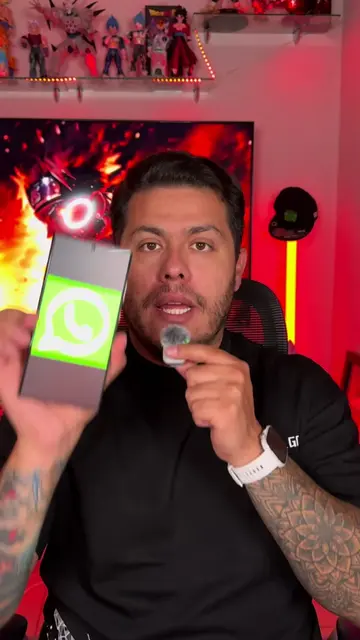
This video demonstrates how to use Samsung's 'Secure Folder' feature to hide photos, videos, files, and even applications. It guides viewers through the setup process, including biometric and PIN protection, and shows how to hide the folder itself for enhanced privacy.
Samsung tiene una función para ocultar fotos, archivos, videos y hasta aplicaciones 👀🔐 Se llama Carpeta Segura y puedes protegerla con huella, PIN, patrón o contraseña. Incluso puedes ocultar la misma Carpeta Segura para que no aparezca tan fácil. ¿Ya la usabas? 👇 #Samsung #CarpetaSegura #TrucosSamsung #PrivacidadAndroid #galaxy
OCULTA FOTOS, VIDEOS Y MÁS EN ESTA CARPETA
Introduction to Secure Folder
Navigating to Security Settings
Configuring Secure Folder (PIN/Biometrics)
Setting Automatic Lock
Adding Files and Apps to Secure Folder
Hiding the Secure Folder itself
Samsung: ACTS - The video demonstrates a feature of Samsung phones called 'Carpeta Segura' (Secure Folder). Removing it would change what happens in the video. Samsung: APPEARS - The word 'SAMSUNG' is displayed on screen. Removing it would not change what happens in the video.
Comenta
Playing this video’s own audio, so you’ll hear the creator over the sound.
Promotes 11 products. Create free account to see more.
Outliers and viral hits: their videos on Overshot, all time.
With Secure Folder, you can hide your personal data and photos using a passcode, so no one will have access to your private data.
All time.