Loading video…
Sound

original sound - sufjanz
xavier · Original audio
0:00–:––
Playing this video’s own audio, so you’ll hear the creator over the sound.
The video leverages a popular trend and a user-friendly template within a widely used editing app (CapCut), making it easy for viewers to replicate the effect and encouraging engagement.
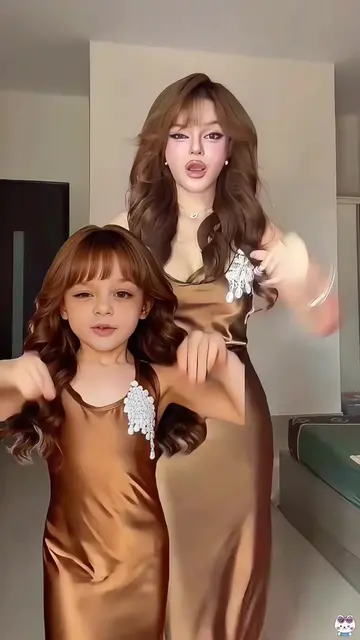
The video demonstrates how to use a CapCut template to create a split-screen video featuring an adult and a younger version of themselves. It shows the process of selecting the template and photos within the CapCut app.
#capcutpioneer #capcutnow #capcut Dance Tutorial Dan Thy Viral Dance Dan Thy Trend Dance Dan Thy Kids Version Effects Dan Thy Hit Dance Dan Thy Trend Dance Class This popular CapCut template perfectly recreates Dan Thy's unique style and vibe. With split-screen effects, it lets your adult self and childhood self appear together in one frame, presenting soft and natural visuals. It's extremely easy to use. Simply upload one photo, and you can create the same viral video with just one tap. Its biggest highlight is the distinctive trendy atmosphere. Even beginners can easily make a video comparing your present and younger self. The gentle-style effects let you join in the popular trend effortlessly with only a single photo #DanThy 💖#swingdancetrend
00:00
Demonstrating a CapCut template
Showing the split-screen effect
Selecting photos for the template
Using the 'Use template in CapCut' button
Previewing the generated video
CapCut: This is a video editing application that is used to create the video shown on the phone screen. It ACTS by allowing the user to select a template and photos to generate a video. Removing it would change what happens in the video. TikTok: This is a social media platform where the video is being viewed. It APPEARS as the platform interface. Removing it would change what happens in the video.
Use template in CapCut
Playing this video’s own audio, so you’ll hear the creator over the sound.
Promotes 1 product. Create free account to see more.
Outliers and viral hits: their videos on Overshot, all time.
Video editing app for creators making social media videos
Views and creators: posted in the last 30 days (English videos). Videos: all time.