Loading video…
Sound

original sound - Textura Agency
Textura Agency · Original audio
0:00–:––
Playing this video’s own audio, so you’ll hear the creator over the sound.
Hook
Posted Aug 17, 2026Video · 0:18by @textura.us
This video promotes it, but we haven’t matched it to a product page yet, so there are no product figures.
The video effectively showcases a rapid website creation process, appealing to users looking for efficiency and creative solutions. The clear demonstration and a direct call to action for more information likely drove engagement.
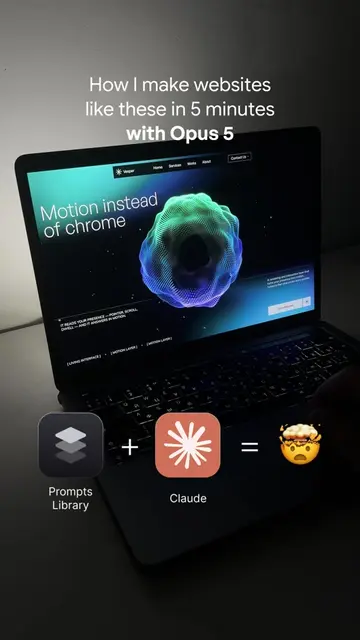
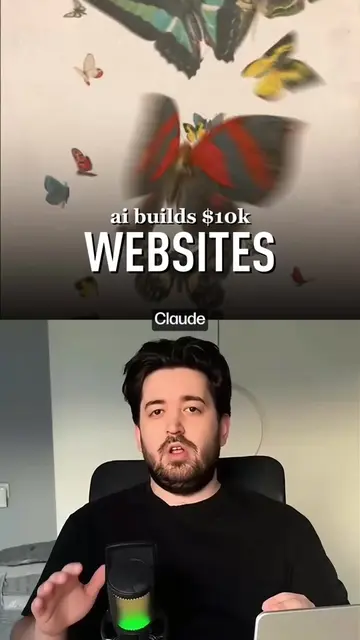
This video demonstrates how to quickly create websites using Opus 5, by combining prompts from Getlayers with the Claude AI. It shows the process of selecting a prompt, copying it, pasting it into an AI builder, and then showcases the resulting website designs.
✍🏼 Drop «Prompt» in the comments and I’ll send you the link to the prompts for this Website AI made building websites faster. But it also created a new problem—too many options. Before, you had one design and gradually improved it. Now you can generate ten completely different directions in a few minutes. And ironically, choosing between them can sometimes take longer than generating them. That's why a good AI workflow isn't about generating as much as possible. It's about filtering out what doesn't work quickly. Finding the idea that actually has potential. Choosing a direction. And only then spending time on the details. Ready-made prompts help eliminate the most chaotic part—the search for a starting point. Instead of running dozens of random generations, you start with a proven structure and experiment within a specific direction. That's exactly why we're building our project library. So AI doesn't just give you more options. It gives you more control over which options are actually worth developing. How it works: 1. Log into the platform. 2. Copy a highly refined prompt—think of it as a strict filter that cuts out 99% of useless AI garbage. 3. Get the working 3D framework or interaction 1:1. 4. Refine the details to fit your project—saving you days of endless, aimless prompt tweaking. 📩 DM me «Project» to collaborate. #webdesign
How I make websites like these in 5 minutes with Opus 5
Introduction to making websites quickly with Opus 5
Demonstration of website examples
Instruction to go to Getlayers and copy a prompt
Showing the process of copying and pasting the prompt into an AI builder
Showcasing the final website design
Call to action to comment 'Prompt' for the link
Opus 5 (ACTS - it is the tool used to make websites, removing it would change what happens in the video); Prompts Library (APPEARS - it is an icon representing a library of prompts, removing it would not change what happens in the video); Claude (ACTS - it is an AI model used in conjunction with prompts to create websites, removing it would change what happens in the video); Getlayers (ACTS - it is a website where prompts are copied from, removing it would change what happens in the video); Altitude (APPEARS - it is the name of a website template, removing it would not change what happens in the video); hero (APPEARS - it is a tag for a website template, removing it would not change what happens in the video); nextjs (APPEARS - it is a tag for a website template, removing it would not change what happens in the video); ENVISION (APPEARS - it is text on a website, removing it would not change what happens in the video); MATERIALIZE (APPEARS - it is text on a website, removing it would not change what happens in the video); Textura Agency (APPEARS - it is the creator's agency name, removing it would not change what happens in the video); getlayers.ai (ACTS - it is the URL for the website where prompts are copied from, removing it would change what happens in the video)
Comment "Prompt" for the link
Playing this video’s own audio, so you’ll hear the creator over the sound.
Outliers and viral hits: their videos on Overshot, all time.