Loading video…
Sound

original sound - tuan31211
Tuan · Original audio
0:00–:––
- Videos using it
- 3
- Views on those videos
- 3.1M
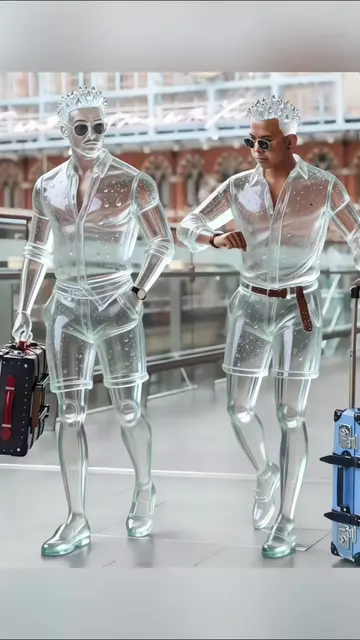
The video leverages a trending visual effect and provides a clear, step-by-step tutorial using a popular editing app, making it easy for viewers to replicate the trend themselves.
This video demonstrates how to create a "giant statue" effect using CapCut. It guides viewers through the process of finding a template, selecting a photo, and letting the app generate the video.
#capcut #capcutpioneer #capcutnow #giantstatueai #statue Clique sur l'icône CapCut ci-dessus pour générer le même style de vidéo. Effet Filtre IA Statue Géante Comment utiliser le filtre IA Statue Géante Tutoriel Filtre IA Statue Géante Effet Filtre IA Statue Modèle IA Statue Géante CapCut Utilise le filtre IA Statue Géante avec ta photo Crée l'effet IA Statue Filtre IA Statue Géante tendance Comment obtenir le filtre IA Statue e Click the CapCut icon above to generate a video in the exact same style! Learn how to use the trending AI Giant Statue Filter with your own photos. This easy tutorial will show you how to get the AI Statue Effect and create amazing videos using the CapCut AI template
COMMENT CREER CETTE
Introduce the "giant statue" video trend
Explain it's simple and free
Show how to find the CapCut template
Guide through selecting a photo
Let CapCut generate the video
Encourage viewers to try it
CapCut: it ACTS - it is used to create the video, and removing it would change what happens in the video. This is promotional. Giant special effects: it APPEARS - it is a description of the effect, not a product. Removing it would not change what happens in the video.
Click the CapCut icon above to generate a video in the exact same
Video editing app for creators making social media videos
Views and creators: posted in the last 30 days (English videos). Videos: all time.
Promotes 2 products. Create free account to see more.
Outliers and viral hits: their videos on Overshot, all time.