Loading video…
Sound

original sound - zgoyhptnv4
Yara · Original audio
0:00–:––
Playing this video’s own audio, so you’ll hear the creator over the sound.
Hook
Posted Sep 19, 2026Video · 0:28by @zgoyhptnv4
We didn’t find a product being promoted in this video. Its hook, format and structure below still show why it took off.
Browse products winning on TikTokThe video provides a simple, free, and visually appealing way to create a personalized video effect, which is highly shareable and engaging on social media platforms.
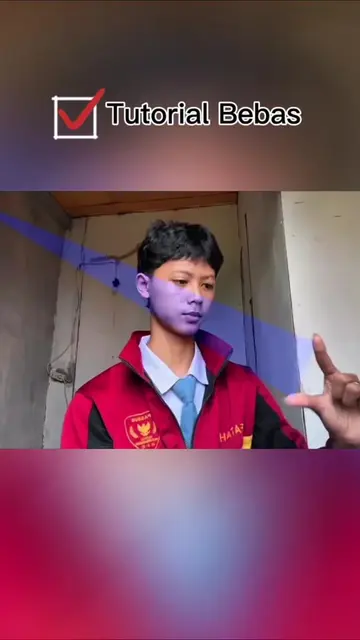
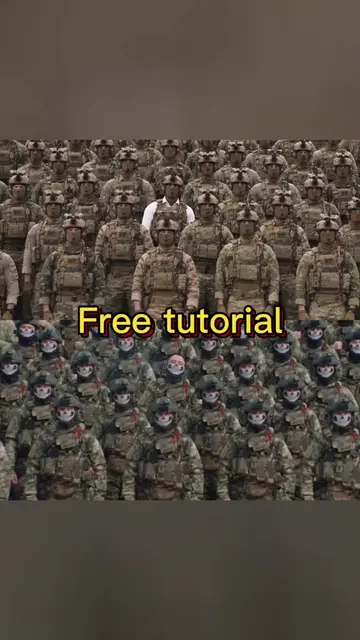
The video demonstrates how to use a personal photo to create a video effect using a template on a mobile app. It guides the viewer through copying a link, selecting a template, uploading a photo, and applying the effect.
How do you use your own photo to create a video effect like this? Very simple and completely free. Now let me guide you. First, press the arrow to copy the link. Next, press the button in the lower left corner. Then press this button. Finally, select Use template. Upload the photo you want to use. Press Next is done. Try it now! Làm thế nào để dùng chính ảnh của bạn tạo hiệu ứng video như thế này? Rất đơn giản và hoàn toàn miễn phí. Bây giờ để mình hướng dẫn bạn nhé. Trước tiên, nhấn vào mũi tên để sao chép liên kết. Tiếp theo, nhấn vào nút ở góc dưới bên trái. Sau đó nhấn vào nút này. Cuối cùng, chọn Sử dụng mẫu. Tải lên bức ảnh bạn muốn dùng. Nhấn Tiếp theo là xong. Hãy thử ngay nhé! ဒီလို ဗီဒီယို အကျိုးသက်ရောက်မှုတွေကို ဘယ်လို သင့်ရဲ့ ဓာတ်ပုံကို အသုံးပြုလဲ။ အလွန်ရိုးရှင်းပြီး လုံးဝအခမဲ့ပါ။ အခု ခင်ဗျားတို့ကို လမ်းညွှန်ပေးမယ်။ ပထမဦးဆုံး ချိတ်ဆက်မှုကို ကူးယူဖို့ မြေကို နှိပ်ပါ။ နောက်တစ်ခု ဘယ်ဘက်အောက်ထောင့်ရှိ ခလုတ်ကို နှိပ်ပါ။ အဲဒီနောက်မှာ ဒီခလုတ်ကို နှိပ်ပါ။ နောက်ဆုံးမှာ ပုံစံကို အသုံးပြုပါ ကို ရွေးပါ။ သုံးချင်တဲ့ ဓာတ်ပုံကို တင်ပါ။ နောက်တစ်ခုကို နှိပ်ပြီး ပြီးသွားပါတယ်။ ချက်ချင်း စမ်းသပ်ပါ။ အောက်ဘယ်ထောင့်ရှိ template ကို အသင့်ပြုပါတယ်။ ဓာတ်ပုံတစ်ခု upload လုပ်ပါ တူညီတဲ့ ဗီဒီယိုကို ဖန်တီးဖို့ပါ။ The template in the lower left corner is ready. Upload a photo To create the same video. คุณสามารถสร้างเอฟเฟกต์วิดีโอแบบนี้ได้อย่างไรโดยใช้รูปภาพของคุณเอง? ง่ายมากและฟรีอย่างสมบูรณ์ ตอนนี้ฉันจะแนะนำคุณ ขั้นแรก ให้กดลูกศรเพื่อคัดลิงก์ จากนั้น กดปุ่มที่มุมซ้ายล่าง จากนั้นกดปุ่มนี้ สุดท้ายเลือก "ใช้เทมเพลต" อัปโหลดรูปภาพที่ต้องการใช้ คลิก "ถัดไป" และเสร็จสิ้น ลองใช้เลย!
Làm thế nào để dùng chính ảnh của bạn tạo hiệu ứng video như thế này?
Introduce the video effect and its simplicity
Instruct to copy the link
Guide to select the template
Instruct to upload a photo
Show the final result and encourage trying it
Click the link below,All live wallpapers are free,Enter 3380 in the SSME app to get livewallpaper
Playing this video’s own audio, so you’ll hear the creator over the sound.
Promotes 3 products. Create free account to see more.
Outliers and viral hits: their videos on Overshot, all time.