Loading video…
Sound

original sound - iMusiKa2023
iMusiKa2023 · Original audio
0:00–:––
Playing this video’s own audio, so you’ll hear the creator over the sound.
- Videos using it
- 2
- Views on those videos
- 411.4K
Hook
Posted Nov 5, 2026Video · 0:22by @user4167922298370
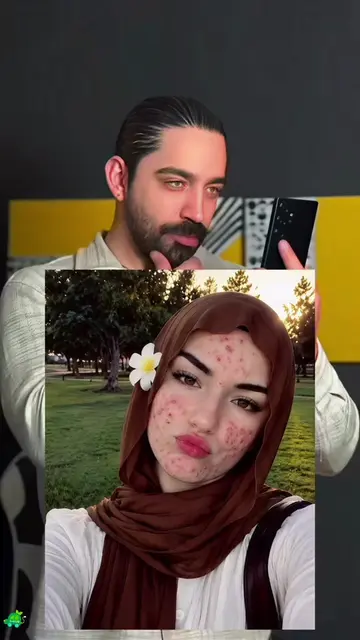
The video leverages a highly visual, trending aesthetic to demonstrate a specific app capability, making the tutorial feel like a valuable hack rather than an advertisement.
The creator demonstrates how to use the Hypic mobile app to create a trending AI-generated lover portrait effect. The video provides a step-by-step tutorial on selecting a template and applying a personal photo to achieve the result.
#hypic #hypiccreator ❤️ Gawin ang trending AI “lover portrait sa likod” effect gamit ang sarili mong photo! 🌹 Makikita ang malaking portrait ng iyong partner sa likod, surrounded by roses at may romantic na “Love You” text. ❤️ Isang photo lang ang kailangan mo, at libre pa itong gawin! ✅#Godpic #fyp @hypic_global @HypicVietnam
Gusto mo bang gumawa ng ganitong trending lover portrait effect gamit ang sarili mong photo?
Showcase the final AI portrait effect
Explain the ease and cost of the process
Step-by-step tutorial on using the app
Final call to action to try the app
Hypic: (a) ACTS — the video demonstrates the app's interface, shows the user selecting a template, and generates a personalized AI portrait result. Removing it would change the entire video as it is the tool being demonstrated. CapCut: (b) APPEARS — a watermark appears in the corner of the screen throughout the video. Removing it would not change the video's content.
Subukan mo na ngayon!
Playing this video’s own audio, so you’ll hear the creator over the sound.
AI photo-editing app for people creating retouched and stylized images
All time.
Promotes 2 products. Create free account to see more.
Outliers and viral hits: their videos on Overshot, all time.