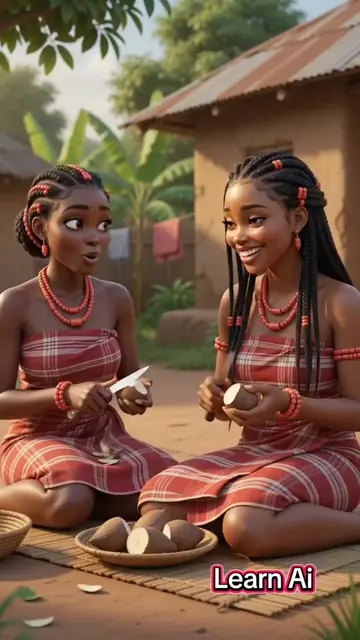
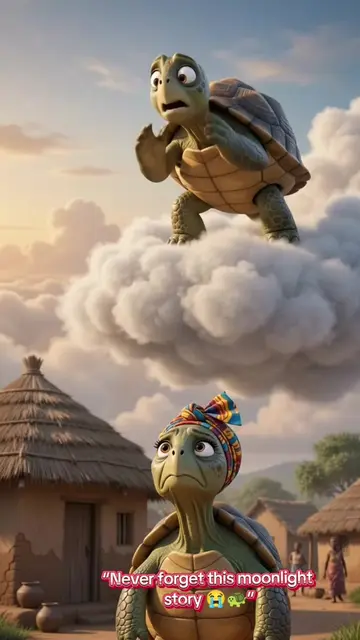
Step by step how to create Ai videos. Oya, go and download ChatGPT. When you download ChatGPT, you will tell it, this is ChatGPT. You will tell it, kindly drop 10 marriage stories for me that I can create with AI. You can say either 10 stories, you can say 10 marriage stories, or 10 kids stories, or 10 old stories. You need to just put something there, or 10 roommate stories that I can create with AI. It will drop it for you. Select the one that you like inside, okay? When you select the one that you like, you will now paste it back on ChatGPT. When you paste it back, it is going to give you all the total breakdown of the story. Yes, you can either change anything you like inside, or you use it like that. But please, change some word, read the story so that you will add your own inside. And when you do that, the next thing you tell ChatGPT is, kindly drop scene one. Kindly drop scene one, comma, characters image prompts, comma, conversation 5 seconds long. That is what you tell ChatGPT. It will drop it for you. You will copy everything that I drop for you. Don't worry, it's not too long. Copy it. Take it to Flow AI. Do you know Flow AI? You don't know Flow AI? How will you know Flow AI? When the only thing you do is to scroll up and down, up and down. Sit down. Today you must learn. See, you must learn and I'm ready for you people. See, I'm sweating because of you guys. I'm boiling beans. I'm inside my kitchen making video for you people and I'm boiling beans. Oh God, I so love you guys. I so love you now. So, now you go to Flow AI. Flow AI is not an app. Flow AI is on your browser. Search for Flow, not even AI, search just search for Flow. You will see Google Flow, you will see Google Labs. Click on the Google Flow. Click on the Google Flow. Click on the Google Flow. Some of you will say, I'm stuck, I'm stuck. You are not stuck anything. Oya, when you click on it, it will tell you to do this, do that, so that you will land in new project. When you land in new project, yes, you are in the right place. That new project now, you will paste that scene that you copied that time from ChatGPT. If you are, if you like, don't go and download that ChatGPT. You paste it there. When you paste it, it is going to bring out a very good story for you. The video is going to come out in second. That one is scene one. It is usually 8 seconds. For those of you that say, my video is not long, my video is not long. Sit down, let me tell you how to make your video long. You go back to ChatGPT, tell it to kindly drop scene two. It will drop it for you. You go and paste it there again. You go back again, now say you go tell them, drop scene three, scene four, scene five, till scene ending. You can even ask ChatGPT, how many scene is inside this movie? ChatGPT, I want to know. It will tell you. Now 20 scene, you will go generate that full 20 scene. All of them will be 8 seconds or 10 seconds. Then you will add all of them together. When you have added all of them together, that is when your video will be up to 1 minute, 2 minutes, 3 minutes, 4 minutes, even 1 hour. Are you seeing it? So those are 8 seconds that you are confused. The video is not long, not long. It is long. Now you go need to add them scene by scene. Then when you add it, make sure you use your TikTok or your CapCut to do the adding. Then you post on your UK TikTok account. Is that too hard to do? Is this too hard to do? Every time you will watch people's video, money, tea, nice. You can right now self, you are even leaving this my video to go and watch that your series that you like to watch. And you, you have plenty idea. You, you need money. You, you are you need money. If you don't need money, tell me the money you need in your account, okay? Because I need money. So I'm telling you guys to go and do it. If you know that you don't understand, go through my page, okay? Those of you that say I want to join your class, I want to join your class. My bio, go to my bio, you will see my seller link there to join my class. I want to learn, I want to learn, I want to learn. Now I'm ready to teach you now. You don't want to learn again. Some of you say, I don't have money, I don't have money. Go through my page, you see free free tutorial there, how to create AI videos.