Loading video…
Sound

original sound - mommy.parttime
มามิ๊ Part-time · Original audio
0:00–:––
Playing this video’s own audio, so you’ll hear the creator over the sound.
The video addresses a common pain point (full iPhone storage) with a practical and easy-to-follow solution. It visually demonstrates the product's functionality in a clear, step-by-step manner, making it highly relatable and actionable for viewers.
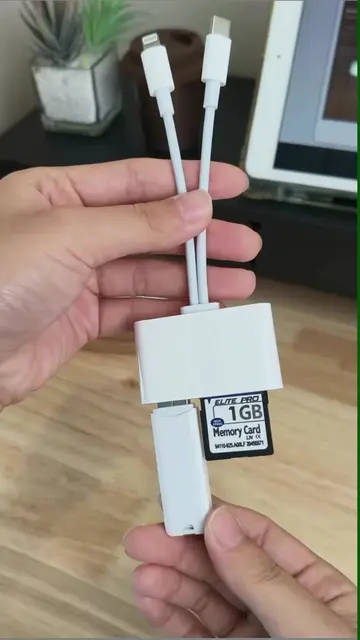
This video demonstrates how to free up iPhone storage using a SanDisk iXpand flash drive. It shows the process of connecting the drive, downloading the Memory Zone app, selecting files, and transferring them to the drive, with an option to delete them from the phone afterwards.
📱 ไม่ต้องลบรูป ไม่ต้องจ่ายเพิ่ม iCloud… ใช้แฟลชไดรฟ์แทน จบ! 📸 #sandisk #ixpand *เฉพาะ Iphone แบบ Lightning
99 IPHONE เมมเต็ม ! SANDISK IXPAND
Introduce the problem: iPhone storage full
Introduce the solution: SanDisk iXpand flash drive
Download and set up the Memory Zone app
Select and transfer files from iPhone to the flash drive
Option to create new folders or delete files from the phone
SANDISK IXPAND: ACTS - This is a flash drive that allows users to expand their iPhone's storage. Its interface is operated to transfer files. Removing it would change what happens in the video. SANDISK: APPEARS - Logo on the product packaging. Removing it would not change what happens in the video. IPHONE: ACTS - The phone's storage is being managed and files are being transferred to the flash drive. Removing it would change what happens in the video. MEMORY ZONE: ACTS - This is an app used to manage files on the flash drive and iPhone. Its interface is operated to backup and restore photos and videos. Removing it would change what happens in the video.
Playing this video’s own audio, so you’ll hear the creator over the sound.
Promotes 2 products. Create free account to see more.
Outliers and viral hits: their videos on Overshot, all time.
Flash drive for transferring and backing up files from iPhones
All time.