Loading video…
All breakouts
4.5Text-HeavyHow-To hookAI Tools
Hook
เฮ้ย รู้ ไหม ว่า ตอน นี้ เรา สามารถ ตั้ง ระบบ ให้ โพสต์ Facebook รีลด์ แทน เรา ได้ แบบ อัตโนมัติ เลย นะ
@mommy.parttime
1.4K followers · usually 706 views a post
Views
3.1K
Likes
149
Comments
8
Shares
34
Promoted product
Why it worked
The video provides a practical, step-by-step guide to automating a common social media task, appealing to creators who want to save time and increase their posting frequency. The use of familiar tools like Google Sheets and the mention of a free tier make it accessible.
Summary
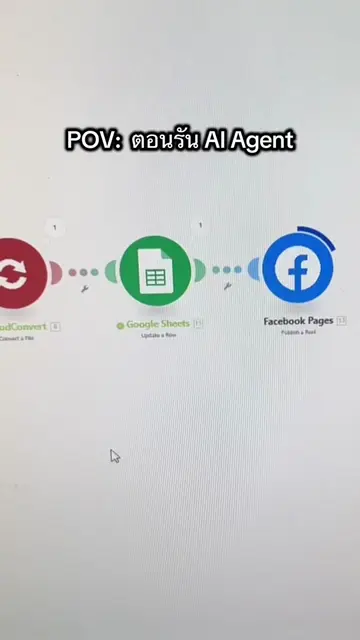
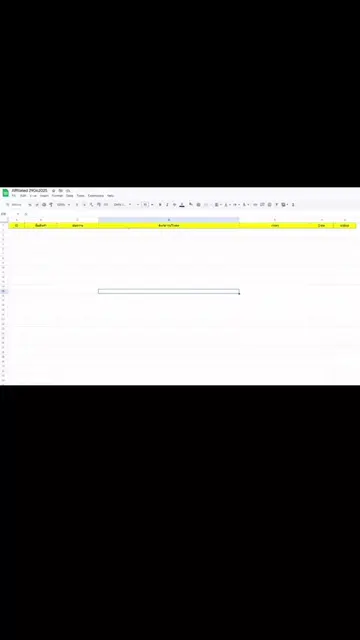
This video explains how to set up an automated Facebook Reels posting system using Google Sheets as the data source and Make as the automation tool. It outlines the three essential components needed: a Facebook Page connected to Meta Business, a Make account, and a Google Account for storing videos and scheduling posts.
Structure
- 1Introduction to automated Facebook Reels posting
- 2Requirements: Facebook Page, Make account, Google Account
- 3Make as the automation service
- 4Explanation of Make's free tier limitations
Product placement
MAKE: เป็นผู้ให้บริการสร้างระบบอัตโนมัติ (Workflow Automation) ที่ให้ใช้งานฟรีแบบมีข้อจำกัด (ACTS - เป็นเครื่องมือที่ใช้สร้างระบบอัตโนมัติ) Google Sheets: ใช้สำหรับวางข้อมูลโพสต์อัตโนมัติ (ACTS - ใช้ในการจัดเก็บและจัดการข้อมูล) Google Drive: ใช้สำหรับเก็บวิดีโอที่ต้องการโพสต์ (ACTS - ใช้ในการจัดเก็บไฟล์วิดีโอ) Facebook Page: เป็นบัญชีที่ใช้ในการโพสต์ (APPEARS - เป็นส่วนประกอบของระบบ) Meta Business Facebook: เป็นบัญชีที่เชื่อมต่อกับ Facebook Page (APPEARS - เป็นส่วนประกอบของระบบ) Google AI Studio: ใช้สร้างเสียงพูด (APPEARS - เป็นเครื่องมือที่ใช้สร้างเสียงพูด)
Original caption
ทำความเข้าใจระบบกันก่อนนะ ปล.อันก็ใช้ AI ภาคเสียงให้นะ google ai studio > Native speech generation ใช้ฟรี เลือกเสียงได้ด้วย #ai #aiautomation
More from @mommy.parttime
More breakout videos from this creator.