Loading video…
Sound

original sound - Maycoder - AI Automation
Maycoder - AI Automation · Original audio
0:00–:––
Playing this video’s own audio, so you’ll hear the creator over the sound.
The video provides a practical, step-by-step tutorial on building an automated email agent, which is a common pain point for many users. The use of a visual workflow builder like n8n makes the process accessible and easy to follow.
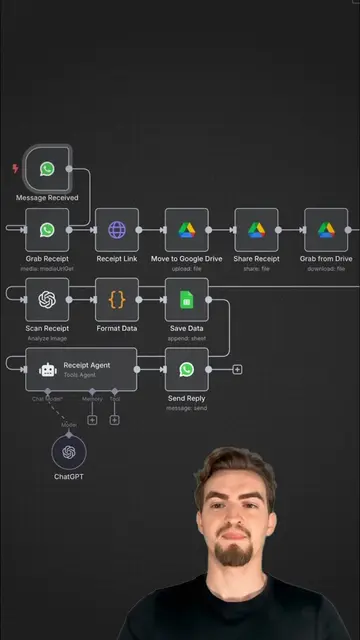
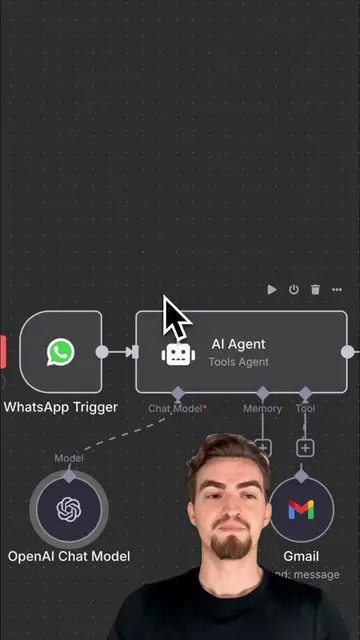
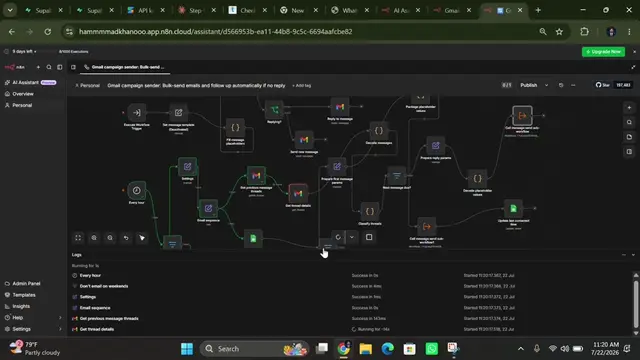
The video demonstrates how to build a simple AI email agent using n8n. It covers setting up triggers, AI models, and integrating with Google Sheets and Gmail for automated email management.
Here's how i built a simple email agent✉️🤖 Comment "Email Agent" and I'll DM you the full version for free! #automation #aiautomation #n8n #emailagent #aiagents #aiagent
here is how I built a simple
Introduction to the AI email agent
Setting up the workflow with triggers and AI agent
Integrating Google Sheets for contacts
Adding Gmail tools for email actions
Configuring the AI agent's prompt and behavior
Testing and troubleshooting the workflow
n8n: it is used to build the AI agent and workflow. It acts as the platform for creating the automation. Removing it would change what happens in the video. Open Router: it is used to access the GPT 4.1 mini model. It acts as a gateway to AI models. Removing it would change what happens in the video. GPT 4.1 mini: it is used as the AI model for the agent. It acts as the brain of the agent. Removing it would change what happens in the video. Google Sheets: it is used to store contact information. It acts as a database for contacts. Removing it would change what happens in the video. Gmail: it is used to send, reply to, and delete emails. It acts as the email client for the agent. Removing it would change what happens in the video.
Comment "Email Agent" and I'll DM you the full version for free!
Playing this video’s own audio, so you’ll hear the creator over the sound.
Workflow automation software for technical teams
All time.
Promotes 1 product. Create free account to see more.
Outliers and viral hits: their videos on Overshot, all time.