Loading video…
All breakouts

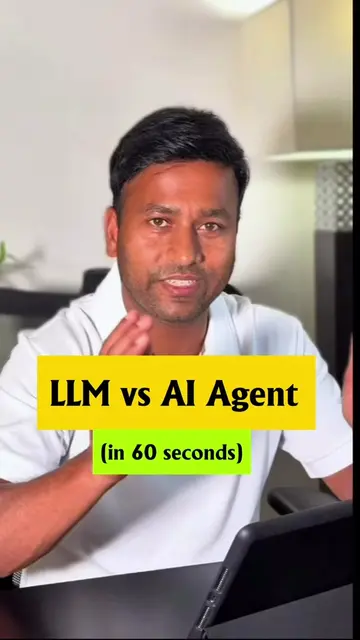
4.1Talking HeadProblem Callout hook
Hook
Still manually replying to emails in 2026? 👀
@sambit.ai.tech
5.3K followers · usually 694 views a post
Views
2.7K
Likes
47
Comments
3
Shares
20
Why it worked
The video taps into a common pain point (email overload) and offers a clear, actionable solution using AI. The promise of saving significant time and the direct call to action encourage engagement.
Summary
This video demonstrates how to connect Gmail with Claude AI to automate email tasks, saving users significant time. The creator explains the process of integrating the two platforms to summarize emails, draft replies, and manage inbox clutter.
Structure
- 1Hook: Manual email replies in 2026?
- 2Introduce Claude + Gmail integration
- 3Explain automation benefits (summarize, draft, clean)
- 4Show connection process
- 5Call to action: Comment for guide
Product placement
Claude: an AI assistant that can draft emails, summarize information, and automate tasks. It ACTS by processing user requests and generating text. Removing it would change the video's outcome.
Gmail: an email service. It ACTS as the platform for email management and is integrated with Claude. Removing it would prevent the core functionality shown.
Claude AI: A general reference to the AI assistant. It ACTS as the tool being used.
Sambit.ai.tech: The creator's personal brand/website. It APPEARS as a bio link. Removing it would not change the video's outcome.
Original caption
Still manually replying to emails in 2026? 👀 Connect Gmail to Claude and let AI: • summarize important emails • draft replies instantly • clean inbox clutter • automate repetitive tasks This setup can literally save you hours every week. Comment “gmail” and I’ll send the setup guide. Claude AI | Gmail automation | AI productivity | email workflow | automation tools | AI tools #aitools #aiproductivity #chatgpt #generativeai #aiwork
More from @sambit.ai.tech
Their other posts in the index, biggest breakout first.