Loading video…
Sound

original sound - obiofafrica5
obiofafrica · Original audio
0:00–:––
Playing this video’s own audio, so you’ll hear the creator over the sound.
Hook
Posted Jun 19, 2026Video · 1:30by @obiofafrica5
The video provides high-value, actionable technical advice that solves a specific pain point (generic AI output), positioning the creator as an expert while naturally showcasing the product's advanced features.
The creator explains how to optimize Claude by adjusting five specific settings to make the AI more personalized and effective for career tasks. He offers to send a list of setup prompts to viewers who comment on the video.
Most people open Claude and start typing. They miss 5 settings that take 90 seconds to turn on — and each one unlocks a specific career task. If you've been using Claude and thought "this is fine but it doesn't really feel personalised to me" — that's because it isn't. Not yet. These settings are why 👇 If you're using Claude with the default setup, you're using maybe 30% of what it can actually do for your career. 1. Memory → tell Claude your background, your target role, your salary goal once. Every conversation after is personalised to yours. 2. Connectors → plug in Gmail and Drive. Claude reads your actual resume, drafts your recruiter replies, in your voice. 3. Personal Preferences → tell Claude how you write. Without this: "Dear Hiring Manager, I am writing to express..." With this: you. 4. Projects → create one called "Job Search 2026." Drop in your resume, target roles, interview notes. Every chat remembers the full context. No starting from scratch. 5. Claude Cowork → this is the one nobody is using. Delegate real tasks — research, follow-ups, applications — while you do something else. 90 seconds. Five settings. Same tool — working 10x harder for your career. The people getting real value from AI right now aren't smarter than you. They just set it up right the first time. Comment CLAUDE and I'll send you the exact setup prompts for all five — ready to copy and paste. Save this. Open Claude tonight. Do all 5. Watch what changes.
YOU'RE USING 30% OF WHAT CLAUDE CAN DO. HERE'S THE OTHER 70%.
Identify the problem of generic AI responses
Introduce Claude as the solution
Explain the five settings for personalization
Demonstrate the Claude Co-work feature
Provide a call to action for setup prompts
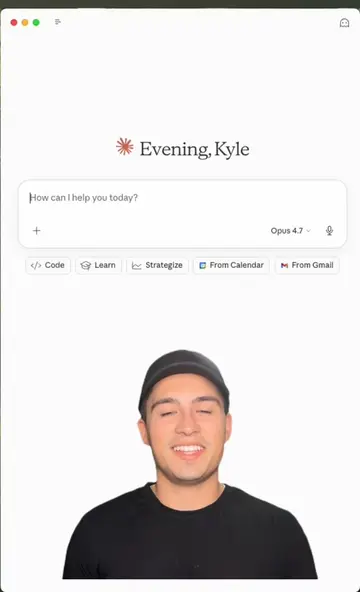
Claude is the primary subject of the video, demonstrated through screen recordings of its settings and interface.
Comment Claude and I will send you the exact setup prompts for all five.
Playing this video’s own audio, so you’ll hear the creator over the sound.
AI assistant for people solving work and creative tasks
Views and creators: posted in the last 30 days (English videos). Videos: all time.
Promotes 2 products. Create free account to see more.
Outliers and viral hits: their videos on Overshot, all time.