Loading video…
Sound

original sound - digitaljoegeorge
Joe George · Original audio
0:00–:––
Playing this video’s own audio, so you’ll hear the creator over the sound.
This video promotes it, but we haven’t matched it to a product page yet, so there are no product figures.
The video addresses a common security concern (unauthorized Facebook access) with clear, actionable steps, making it highly shareable and useful for a broad audience.
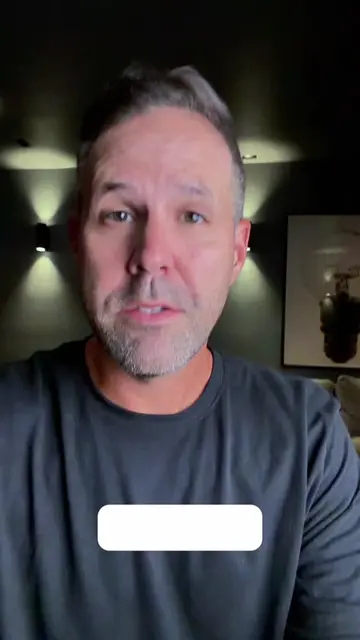
This video explains how to check for unauthorized logins on your Facebook account. It guides viewers to the Facebook Accounts Center, where they can review active login sessions and log out any suspicious devices.
😨 Someone could be logged into your Facebook account RIGHT NOW Think you're the only one using your Facebook account? 👀 It only takes a few seconds to check every device that's currently logged in... and kick out anyone who shouldn't be there. 🔒 This is one of the most important Facebook security checks you can do. Save this video before you need it. --- ⚙ Step-by-Step (Check your account NOW) 1️⃣ Go to accountcenter.facebook.com 🌐 2️⃣ Sign in to your account 🔐 3️⃣ Click Password & Security 🔒 4️⃣ Select Where You're Logged In 📱💻 👉 You'll now see every device that's currently signed into your Facebook account. --- 🚨 See something suspicious? If you notice: * 📱 A phone you don't recognize * 💻 An unknown computer * 🌎 A strange location * 🕒 A login you don't remember Then: 5️⃣ Tap the suspicious device 👆 6️⃣ Tap Log Out 🚪 💥 That device immediately loses access to your account. --- 🛡️ Protect your account After logging out suspicious devices: 7️⃣ Change your Facebook password 🔑 8️⃣ Turn on Two-Factor Authentication (2FA) 📲 This adds an extra layer of protection, making it much harder for someone else to access your account. --- 🚀 Why this matters ✅ Detect unauthorized logins 👀 ✅ Remove old devices you no longer use 📱 ✅ Improve account security 🔒 ✅ Protect your personal information 🛡️ 👉 It only takes one minute and could save your account. --- 💥 Save this before you forget. Share it with someone who uses Facebook every day 😂 Follow for more privacy tips, cybersecurity tricks, and hidden tech hacks 🔥
IS SOMEONE SECRETLY LOGGED IN YOUR FACEBOOK
Introduce the problem of unauthorized Facebook logins
Instruct to go to Facebook Accounts Center
Navigate to password and security settings
Check 'Where you're logged in' section
Identify and log out suspicious devices
Recommend updating password and enabling two-factor authentication
The video demonstrates how to check login activity on Facebook via the Facebook Accounts Center website.
Save this video before you need it.
Playing this video’s own audio, so you’ll hear the creator over the sound.
Promotes 6 products. Create free account to see more.
Outliers and viral hits: their videos on Overshot, all time.