Loading video…
All breakouts
308Talking HeadWarning hookConsumer Apps
Hook
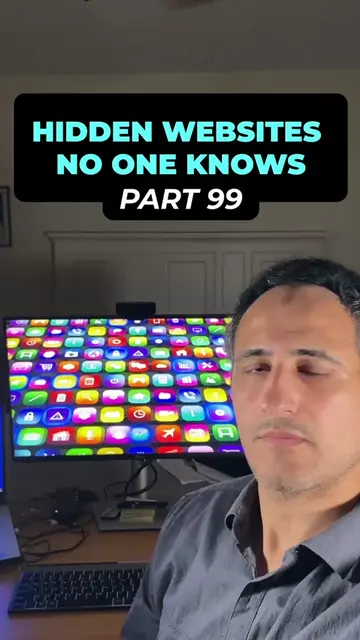
OUCH! YOU'RE USING YOUR AIRPODS TOTALLY WRONG!
@digitaljoegeorge
168.6K followers · usually 3.5K views a post
Views
1.0M
Likes
16.3K
Comments
133
Shares
14.8K
Why it worked
The video addresses a common pain point (poor audio quality with AirPods) and offers a simple, actionable solution through hidden iPhone settings. The use of clear on-screen instructions and a direct call to action encourages engagement and sharing.
Summary
This video demonstrates how to optimize AirPods audio settings on an iPhone. It guides viewers through enabling headphone accommodations and adjusting audio tuning, as well as disabling mono audio and reducing loud audio for a better listening experience.
Structure
- 1Intro hook about AirPods usage
- 2Navigate to Accessibility settings
- 3Enable Headphone Accommodations
- 4
Original caption
🎧 You're using your AirPods the WRONG way... and it's ruining your audio! 🤯
If your AirPods don't sound as rich, clear, or immersive as you expected, these hidden iPhone settings could make a noticeable difference.
Most people never touch these settings after buying their AirPods! 👀
💾 Save this video so you can come back to it anytime you get new AirPods.
---
🎧 Step 1 — Enable Headphone Accommodations
1️⃣ Open Settings ⚙️
2️⃣ Tap Accessibility ♿
3️⃣ Scroll down and tap Audio & Visual 🔊
4️⃣ Tap Headphone Accommodations 🎧
5️⃣ Turn Headphone Accommodations ON ✅
---
🎵 Step 2 — Improve Audio Quality
1️⃣ Under Tune Audio For, select Balanced Tone 🎼
2️⃣ Set the amplification to Strong 💪
This adjusts the audio profile to make voices and certain sounds more prominent for many users.
---
🔊 Step 3 — Turn Off Mono Audio
1️⃣ Go back to Audio & Visual 🔙
2️⃣ Find Mono Audio
3️⃣ Make sure it's turned OFF ❌
This allows you to hear true stereo sound, where the left and right audio channels remain separate.
---
🛡️ Step 4 — Review Headphone Safety
1️⃣ Go back to the main Settings menu ⚙️
2️⃣ Tap Sounds & Haptics 🔔
3️⃣ Scroll down and tap Headphone Safety 🎧
If you prefer full volume control, you can review the Reduce Loud Audio setting.
⚠️ Keep in mind that this feature is designed to help protect your hearing by limiting prolonged exposure to loud audio. If you choose to turn it off, listen responsibly and avoid excessively high volumes.
---
🔥 Why these settings matter
✅ Richer sound experience 🎶
✅ Better stereo separation 🎧
✅ More personalized audio 🔥
✅ Hidden features most AirPods owners never discover 🤯
---
💥 Save this post before you forget these hidden AirPods settings! Share it with someone who uses AirPods every day—they'll probably thank you later! 🎧📲
🚀 Want hundreds more hidden iPhone tips, AirPods tricks, Apple secrets, and exclusive tech bonuses? Visit digitaljoegeorge.com!
#AirPods #iPhoneTips #AppleTips #iphonetricks #iphonehacks
More from @digitaljoegeorge
More breakout videos from this creator.