Loading video…
Sound

original sound - appleinsiderofficial
AppleInsider · Original audio
0:00–:––
Playing this video’s own audio, so you’ll hear the creator over the sound.
Hook
Posted Jun 29, 2026Video · 9:19by @appleinsiderofficial
This video promotes it, but we haven’t matched it to a product page yet, so there are no product figures.
CarPlay is getting even better with iOS 27! #apple #iphone #ios #ios27 #carplay
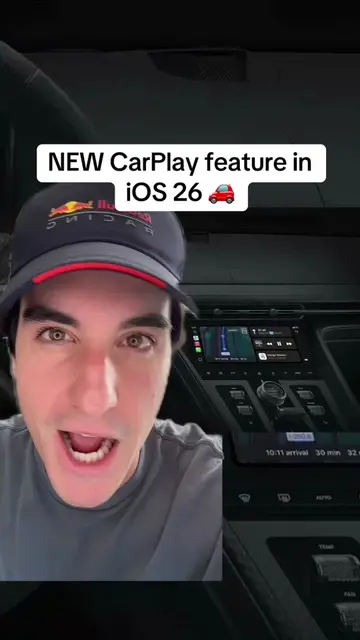
Let's talk about everything new that is coming to CarPlay with iOS 27.
Apple: ACTS - it is the operating system for iPhones and is used to run apps. Removing it would change what happens in the video.nCarPlay: ACTS - it is the interface for running apps in the car. Removing it would change what happens in the video.nUconnect: APPEARS - it is an app icon on the CarPlay interface. Removing it would not change what happens in the video.nPhone: APPEARS - it is an app icon on the CarPlay interface. Removing it would not change what happens in the video.nMusic: APPEARS - it is an app icon on the CarPlay interface. Removing it would not change what happens in the video.nMaps: APPEARS - it is an app icon on the CarPlay interface. Removing it would not change what happens in the video.nMessages: APPEARS - it is an app icon on the CarPlay interface. Removing it would not change what happens in the video.nNow Playing: APPEARS - it is an app icon on the CarPlay interface. Removing it would not change what happens in the video.nPodcasts: APPEARS - it is an app icon on the CarPlay interface. Removing it would not change what happens in the video.nAudiobooks: APPEARS - it is an app icon on the CarPlay interface. Removing it would not change what happens in the video.nCalendar: APPEARS - it is an app icon on the CarPlay interface. Removing it would not change what happens in the video.nSettings: APPEARS - it is an app icon on the CarPlay interface. Removing it would not change what happens in the video.nAmazon Music: APPEARS - it is an app icon on the CarPlay interface. Removing it would not change what happens in the video.nGoogle Maps: APPEARS - it is an app icon on the CarPlay interface. Removing it would not change what happens in the video.nMLB: APPEARS - it is an app icon on the CarPlay interface. Removing it would not change what happens in the video.nNYTimes: APPEARS - it is an app icon on the CarPlay interface. Removing it would not change what happens in the video.nZoom: APPEARS - it is an app icon on the CarPlay interface. Removing it would not change what happens in the video.nFocal & Naim: APPEARS - it is an app icon on the CarPlay interface. Removing it would not change what happens in the video.nChatGPT: APPEARS - it is an app icon on the CarPlay interface. Removing it would not change what happens in the video.nPerplexity: APPEARS - it is an app icon on the CarPlay interface. Removing it would not change what happens in the video.nSiri: ACTS - it is used to interact with the car system. Removing it would change what happens in the video.nSmartLife: APPEARS - it is an app icon on the CarPlay interface. Removing it would not change what happens in the video.nSofa: APPEARS - it is an app icon on the CarPlay interface. Removing it would not change what happens in the video.nTarget: APPEARS - it is an app icon on the CarPlay interface. Removing it would not change what happens in the video.nWalmart: APPEARS - it is an app icon on the CarPlay interface. Removing it would not change what happens in the video.nWaze: APPEARS - it is an app icon on the CarPlay interface. Removing it would not change what happens in the video.nWeChat: APPEARS - it is an app icon on the CarPlay interface. Removing it would not change what happens in the video.nFitness: APPEARS - it is an app icon on the iPhone home screen. Removing it would not change what happens in the video.nApple TV: APPEARS - it is an app icon on the iPhone home screen. Removing it would not change what happens in the video.nWallet: APPEARS - it is an app icon on the iPhone home screen. Removing it would not change what happens in the video.nGames: APPEARS - it is an app icon on the iPhone home screen. Removing it would not change what happens in the video.nPreview: APPEARS - it is an app icon on the iPhone home screen. Removing it would not change what happens in the video.nFind My: APPEARS - it is an app icon on the iPhone home screen. Removing it would not change what happens in the video.nHome: APPEARS - it is an app icon on the iPhone home screen. Removing it would not change what happens in the video.nExpenses: APPEARS - it is an app icon on the iPhone home screen. Removing it would not change what happens in the video.nBookmarks: APPEARS - it is an app icon on the iPhone home screen. Removing it would not change what happens in the video.nSmartmi Link: APPEARS - it is an app icon on the iPhone home screen. Removing it would not change what happens in the video.nStocks: APPEARS - it is an app icon on the iPhone home screen. Removing it would not change what happens in the video.nWeather: APPEARS - it is an app icon on the iPhone home screen. Removing it would not change what happens in the video.nFiles: APPEARS - it is an app icon on the iPhone home screen. Removing it would not change what happens in the video.nNetflix: APPEARS - it is an app icon on the iPhone home screen. Removing it would not change what happens in the video.nHulu: APPEARS - it is an app icon on the iPhone home screen. Removing it would not change what happens in the video.nPrime Video: APPEARS - it is an app icon on the iPhone home screen. Removing it would not change what happens in the video.nMLS: APPEARS - it is an app icon on the iPhone home screen. Removing it would not change what happens in the video.
Playing this video’s own audio, so you’ll hear the creator over the sound.
Promotes 2 products. Create free account to see more.
Outliers and viral hits: their videos on Overshot, all time.