Loading video…
All breakouts
5.0App DemoResult / Flex hookAI Tools
Hook
🚀 Built a complete AI Cold Email Agent using n8n + OpenAI 🤖
@aiwithhammad2026
3.4K followers · usually 5.4K views a post
Views
27.1K
Likes
1.4K
Comments
34
Shares
93
Why it worked
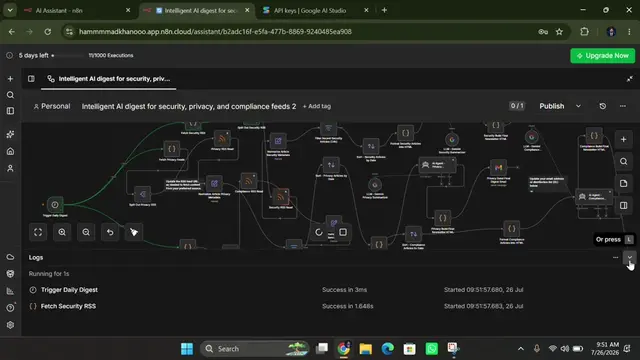
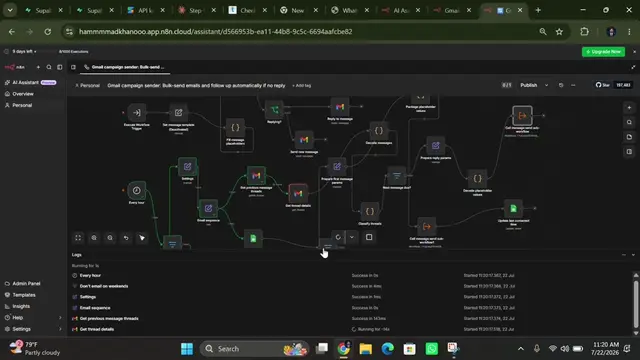
The video showcases a practical and automated solution to a common business problem (cold emailing), demonstrating the power of integrating different tools like n8n and OpenAI. The clear step-by-step visual representation of the workflow makes it easy to understand and replicable.
Summary
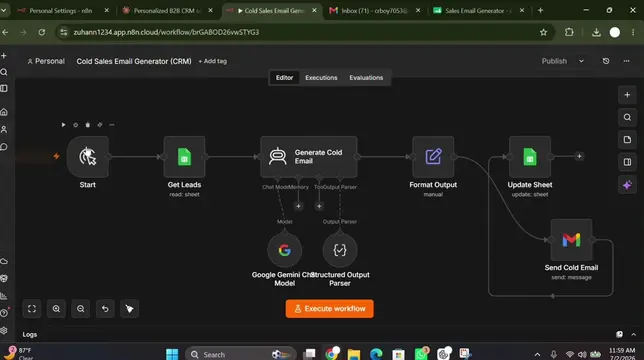
The video demonstrates an automated cold email workflow built using n8n, OpenAI, Google Sheets, and Gmail. The workflow reads leads from Google Sheets, generates personalized emails with AI, sends them via Gmail, handles follow-ups, and updates the status back to Google Sheets.
Structure
- 1Workflow overview
- 2Data input from Google Sheets
- 3AI email generation
Original caption
> 🚀 Built a complete AI Cold Email Agent using **n8n + OpenAI** 🤖 > > ✅ Reads new leads from Google Sheets > ✅ Generates a personalized 3-email sequence with AI > ✅ Parses AI output automatically > ✅ Sends emails through Gmail > ✅ Waits before follow-ups > ✅ Checks for replies before sending the next email > ✅ Retries automatically if the AI hits a rate limit > ✅ Updates and saves everything back to Google Sheets > ✅ Fully automated from start to finish 🔥 > > This workflow saves hours of manual work and can run 24/7. > > Would you use this for your business? 👇 > > Follow for more AI automation, n8n workflows, and Agentic AI projects. > > #n8n #AIAutomation #AgenticAI #aiwithhammad#WorkflowAutomation
More from @aiwithhammad2026
More breakout videos from this creator.