Loading video…
Sound

original sound - scenic.snapper
Sam | Photography Coach · Original audio
0:00–:––
Playing this video’s own audio, so you’ll hear the creator over the sound.
The video addresses a common pain point for beginner photographers: over-editing and achieving unnatural results. By breaking down the editing process into a clear, sequential '5-day' learning structure and focusing on fundamental tools, it offers a practical and accessible solution, making it highly shareable and engaging for its target audience.
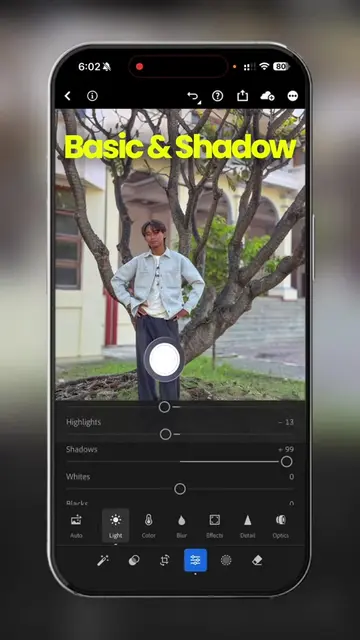
This video teaches beginners the correct order for editing photos using Adobe Lightroom, focusing on five fundamental adjustments: Exposure, Highlights, Shadows, Contrast, and White Balance. It emphasizes mastering these basic tools first to achieve natural-looking edits before moving on to more advanced techniques.
the biggest mistake beginner photographers make is over editing their photos and ruining their photography. so this is my series, learn photo editing in 5 days. where I’m going to teach you how to actually edit your photos without making them look unnatural. for day 1 we’re looking at the basic sliders and what you should use first
You're Editing In The WRONG Order
Introduction to the problem of incorrect editing order
Explaining the five essential editing adjustments (Exposure, Highlights, Shadows, Contrast, White Balance)
Demonstrating how to use each adjustment correctly
Highlighting the importance of these adjustments as a foundation
Concluding with a preview of the next day's lesson
Adobe Lightroom: This is a photo editing software. The video demonstrates its use by showing the sliders for Exposure, Highlights, Shadows, Contrast, and White Balance. It ACTS as the tool being used to edit photos. Removing it would change the video's content entirely as it's the subject of the tutorial. Canon camera: This is a camera used for taking photos. It APPEARS in the video as the tool the creator is holding and using to capture images. Removing it would not change the video's content as the focus is on editing, not photography itself. Stan Store: This is a platform for creators to sell digital products. The creator's bio link points to a Stan Store page. It ACTS as the destination for the creator's guides and resources. Removing it would mean the viewer cannot access the creator's other products.
Follow for Day 2
Playing this video’s own audio, so you’ll hear the creator over the sound.
Promotes 1 product. Create free account to see more.
Outliers and viral hits: their videos on Overshot, all time.
Photo editing app for photographers and people editing images
All time.