Loading video…
Sound

original sound - 💫𝕸𝖞𝖆𝖙&𝕬𝖎𝕾𝖙𝖚𝖉𝖎𝖔💫
💫𝕸𝖞𝖆𝖙&𝕬𝖎𝕾𝖙𝖚𝖉𝖎𝖔💫 · Original audio
0:00–:––
Playing this video’s own audio, so you’ll hear the creator over the sound.
This video promotes it, but we haven’t matched it to a product page yet, so there are no product figures.
The video effectively demonstrates a creative AI tool by showing a clear, step-by-step process of transforming a personal photo into an anime style. This visual transformation is engaging and appeals to users interested in AI-powered image generation and personalization.
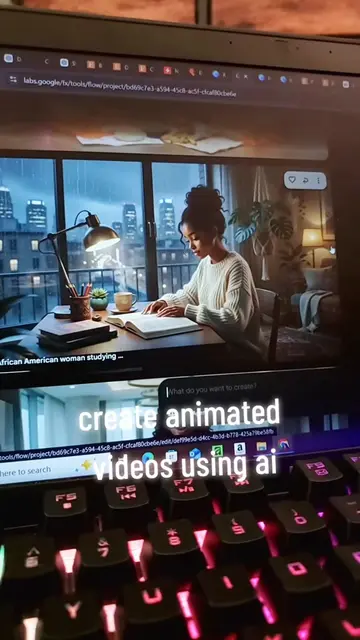
The creator demonstrates how to use Google Flow, an AI creative studio, to transform a photo into an anime-style image. The video guides viewers through the process of uploading a photo, selecting an anime style, and saving the generated image.
#creatorsearchinsights #Ai videoလုပ်နည်း#anime #fy #foryourpage
00:00
Introduction and question about photo editing
Demonstration of saving a photo
Opening Chrome and searching for "Flow AI"
Accessing Google Flow and starting a new project
Uploading a photo and selecting an anime style
Saving the final anime-style image
Google Flow - All Creative Studio for Video, Images & Custom Tools (ACTS: Generates video, images, and custom tools using AI. Removing it would change the video's outcome as it's the tool being demonstrated). Gemini Omni Flash (APPEARS: A product name mentioned and shown on screen as part of the Google Flow interface. Removing it would not change the video's outcome as the focus is on the process, not the specific Gemini model). Chrome (ACTS: Used to access Google Flow. Removing it would change the video's outcome as it's the browser used for the demonstration).
Playing this video’s own audio, so you’ll hear the creator over the sound.
Promotes 1 product. Create free account to see more.
Outliers and viral hits: their videos on Overshot, all time.