Loading video…
All breakouts

3.4App Demo
Hook
Ai Transitions Directly Inside
@chatvideopro
4.3K followers · usually 712 views a post
Views
2.4K
Likes
58
Comments
1
Shares
9
Why it worked
The video effectively showcases a powerful and visually impressive feature (bullet time transitions) created with AI, directly addressing a pain point for video editors (complex VFX workflows) and offering a seamless integration within a popular software (Premiere Pro).
Summary
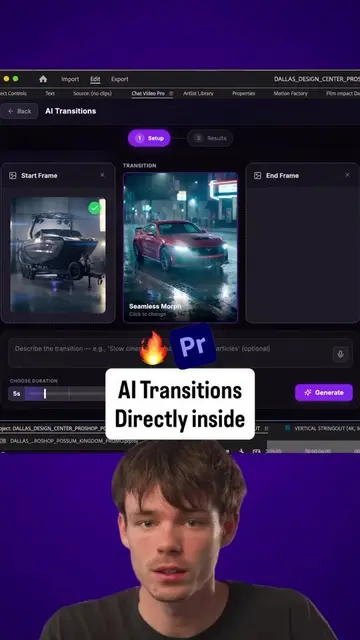
This video demonstrates how to create AI-powered bullet time transitions directly within Adobe Premiere Pro using the Chat Video Pro plugin and Seedance 2 AI model. It shows the step-by-step process of selecting start and end frames, choosing the AI model and resolution, and generating the transition.
Structure
- 1Introduction to AI transitions in Premiere Pro
- 2Demonstration of selecting start and end frames
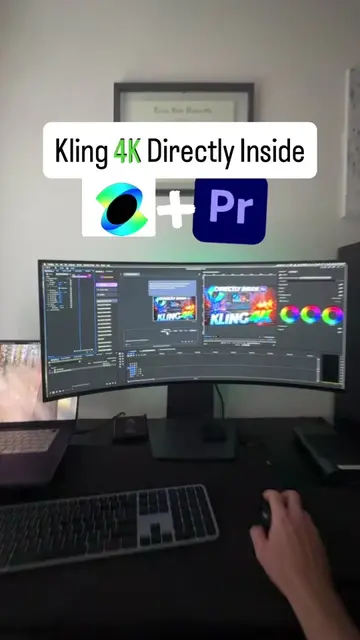
- 3Choosing the AI model (Seedance 2) and resolution (4K)
- 4Generating the bullet time transition
- 5Importing and playing back the final transition
Product placement
Seedance 2: Acts - it is an AI video model used to create transitions. Premiere Pro: Acts - it is a video editing software where the transitions are made. Chat Video Pro: Acts - it is a Premiere Pro plugin that uses AI video models to create transitions.
Original caption
DM “Chat Video Pro” for access. 👇 Bullet time transitions in 4K, directly inside Premiere Pro. With Chat Video Pro, you can use top AI video models like Seedance 4K to create stunning start-frame to end-frame transitions without ever leaving your edit. No complicated VFX workflows. No endless keyframing. Just cinematic AI transitions in minutes. If you’re a Premiere Pro editor, this workflow is a total game changer. #premierepro #videoeditor #seedance2 #videoediting #chatvideopro
More from @chatvideopro
Their other posts in the index, biggest breakout first.