Loading video…
Sound

original sound - robinrafan
RobinRafan · Original audio
0:00–:––
Playing this video’s own audio, so you’ll hear the creator over the sound.
This video promotes it, but we haven’t matched it to a product page yet, so there are no product figures.
The video addresses a common security concern (account hacking) and offers a practical, visually demonstrated solution for a widely used service (Gmail). The use of a novel feature (face login) and clear, step-by-step instructions makes it highly shareable and useful for a broad audience.
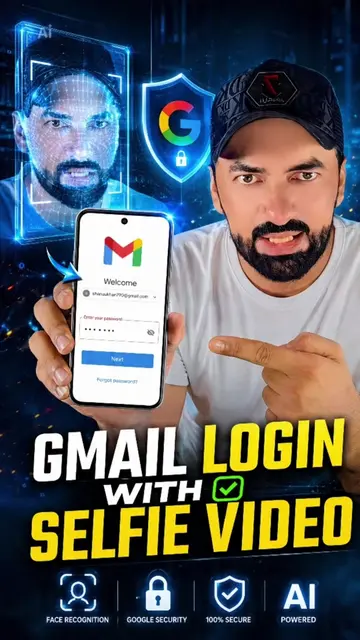
The video demonstrates how to enable face login for Gmail accounts on Android devices. It guides viewers through the Google Account settings to set up a selfie verification process, which enhances security and allows for face-based sign-ins.
জিমেইল সাইন ইন করুন আপনার ফেস দিয়ে। জিমেইলের নতুন সেটিংস সকল হ্যাকিং থেকে আপনার ইমেইল কে বাঁচাবে। #RobinRafan #gmail .#selfieverify
আপনার ইমেইল
Introduction to face login for Gmail
Navigating to Google Account settings
Accessing Security and Sign-in options
Enabling selfie verification
Performing the selfie capture process
Confirmation of selfie save
Gmail (Google): an email service that allows users to send and receive emails. It ACTS as the primary interface for the tutorial. Removing it would change what happens in the video. Google Account: a user account for Google services. It ACTS as the interface where the selfie verification is set up. Removing it would change what happens in the video. Meta (Facebook): a social media company. It APPEARS as a logo in an email notification. Removing it would not change what happens in the video. Apple Pay: a mobile payment and digital wallet service. It APPEARS as a notification. Removing it would not change what happens in the video. Apple Cash: a peer-to-peer payment service. It APPEARS as a notification. Removing it would not change what happens in the video. Twitch: a live streaming platform. It APPEARS as a notification. Removing it would not change what happens in the video. Find My (Apple): a service for locating lost devices. It APPEARS as a notification. Removing it would not change what happens in the video. Google Password: a feature for managing Google account passwords. It ACTS as a setting within the Google Account interface. Removing it would change what happens in the video. Google prompt: a feature for signing into Google accounts. It ACTS as a security feature within the Google Account interface. Removing it would change what happens in the video. Android phone(s): a mobile operating system. It APPEARS as a device listed in security settings. Removing it would not change what happens in the video. iPhone(s): a smartphone. It APPEARS as a device listed in security settings. Removing it would not change what happens in the video. Windows computer: a personal computer operating system. It APPEARS as a device listed in security settings. Removing it would not change what happens in the video. Facebook: a social media platform. It APPEARS as a linked app. Removing it would not change what happens in the video. iOSGods.com: a website related to iOS. It APPEARS as a linked app. Removing it would not change what happens in the video. Instagram: a social media platform. It APPEARS as an app icon on the phone's home screen. Removing it would not change what happens in the video. Messenger (Facebook): a messaging app. It APPEARS as an app icon on the phone's home screen. Removing it would not change what happens in the video. Play Store (Google): an app store. It APPEARS as an app icon on the phone's home screen. Removing it would not change what happens in the video. WhatsApp: a messaging app. It APPEARS as an app icon on the phone's home screen. Removing it would not change what happens in the video. Chrome (Google): a web browser. It APPEARS as an app icon on the phone's home screen. Removing it would not change what happens in the video. Gaming Hub: an app for games. It APPEARS as an app icon on the phone's home screen. Removing it would not change what happens in the video. Meta AI: an AI assistant from Meta. It APPEARS as an app icon on the phone's home screen. Removing it would not change what happens in the video. RobinRafan: the creator's name/handle. It APPEARS in the caption and as a profile initial. Removing it would not change what happens in the video.
Playing this video’s own audio, so you’ll hear the creator over the sound.
Promotes 6 products. Create free account to see more.
Outliers and viral hits: their videos on Overshot, all time.