Loading video…
Sound

original sound - scorpiorisingmedia
Lindsay │ Scorpio Rising Media · Original audio
0:00–:––
Playing this video’s own audio, so you’ll hear the creator over the sound.
The video provides a practical and relatable solution to a common problem (phone storage full notifications) by offering a clear, actionable routine. The creator's dual-phone system and specific app recommendations (Slidebox) make the advice concrete and easy to follow, appealing to other content creators or small business owners.
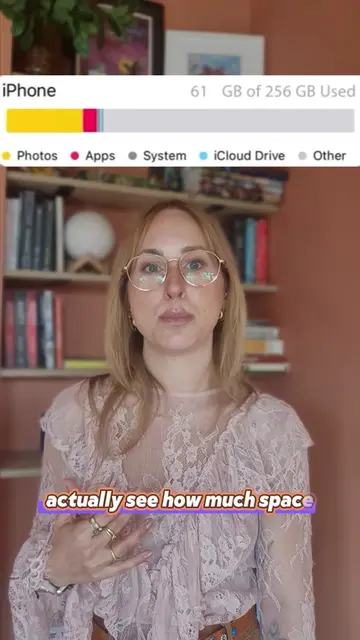
This video explains a phone storage management routine for a creative studio owner. The creator uses a dual-phone system (personal and work) and leverages Dropbox and hard drives for media backup and organization, rather than relying solely on iCloud Photos. The routine includes monthly media sorting with an app called Slidebox, quarterly archiving of organic content, and immediate backup of client/paid content. Finally, the creator cleans up mobile editing app caches and deletes inactive projects.
The secret to avoiding phone storage full notifications isn’t a magic app or the right storage size, but actually just developing a rhythm for staying on top of your media. So here’s the cadence I use for keeping 250GB of client + studio content under control (adjust to your media intake level): • 1x Monthly - delete and sort media into albums • 1-2x Quarterly - archive anything I’m not actively using week to week to Dropbox + hard drives • Ongoing - client and campaign media gets backed up on DB + HDD immediately, then removed once project has wrapped • 1x Monthly - clear cache + old projects from my editing apps For my iPhone users, I know I’m going to get some more q’s about using iCloud Photo Sync vs a third party cloud app like Dropbox. So here’s a more detailed breakdown of why I prefer it: Structure — iCloud is one continuous scroll with albums layered on top, Dropbox is real folders which I prefer for archiving Offloading — iCloud only “optimizes” storage, Dropbox actually allows me to clear space off my phone by archiving media I’m not using (and I can quickly redownload if I suddenly need an old clip) Separation — iCloud is tied to one Apple account, Dropbox keeps client and personal media apart Recovery — iCloud gives a 30-day window, Dropbox offers stronger recovery on paid plans These features and the DB subscription fee might not be worth it to the casual user, but if you’re a creator or professional that makes content for a living might be something to consider! Comment any further questions about all this, and if you’re curious about my folder and album structure, stay tuned for my follow-up carousel post 📁
Phone Storage Management Routine
Introduction to phone storage issues
Dual phone system (personal vs. work)
Using Dropbox and hard drives for backup
Monthly media sorting with Slidebox
Quarterly archiving of organic content
Ongoing backup of client/paid content
Monthly cleanup of mobile editing apps
iPhone 14 pro (ACTS - used as personal phone, its storage is managed, removing it would change what happens in the video); iPhone 17 pro (ACTS - used as work phone, its storage is managed, removing it would change what happens in the video); iCloud Photos (ACTS - used for photo storage and backup, removing it would change what happens in the video); Dropbox (ACTS - used for offloading and backing up media, removing it would change what happens in the video); Slidebox: Photo Cleaner App (ACTS - used for sorting and cleaning media, removing it would change what happens in the video); LaCie hard drives (ACTS - used for archiving and backing up media, removing them would change what happens in the video)
Playing this video’s own audio, so you’ll hear the creator over the sound.
Photo organizing app for people clearing and sorting pictures on their phones
All time.
Promotes 4 products. Create free account to see more.
Outliers and viral hits: their videos on Overshot, all time.