Loading video…
Sound

original sound - adslzone
ADSLZone · Original audio
0:00–:––
Playing this video’s own audio, so you’ll hear the creator over the sound.
The video addresses a common pain point (carrying multiple keys) and offers a convenient, modern solution using a widely adopted technology (digital car keys on smartphones). The demonstration and clear explanation of benefits make it highly relatable and useful.
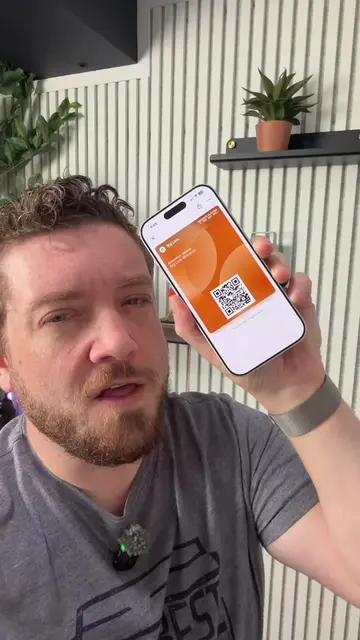
The video explains how to add your car key to your iPhone using the Karky service. It highlights the convenience of having your car key on your phone, even if the phone's battery is low.
¿Puedo añadir la llave de mi coche a mi iPhone? Apple CarKey #nfc #llave #carkey #apple #iphone
¿Sabes que
Introduction to adding car key to iPhone
Explanation of Karky's role
Demonstration of adding key to Apple Wallet
List of compatible car brands
Benefits of using Karky (convenience, low battery function)
Apple Wallet: ACTS - its interface is operated to add a car key. Removing it would change what happens in the video. iPhone: ACTS - it is used to add a car key and is shown as the device for the digital key. Removing it would change what happens in the video. Apple CarKey: ACTS - it is the feature that allows adding a car key to the iPhone. Removing it would change what happens in the video. Karky: ACTS - it is the brand/product that enables adding a car key to the iPhone. Removing it would change what happens in the video. BMW: APPEARS - listed as a compatible car brand. Removing it would not change what happens in the video. Audi: APPEARS - listed as a compatible car brand. Removing it would not change what happens in the video. Mercedes-Benz: APPEARS - listed as a compatible car brand. Removing it would not change what happens in the video. MINI: APPEARS - listed as a compatible car brand. Removing it would not change what happens in the video. Hyundai: APPEARS - listed as a compatible car brand. Removing it would not change what happens in the video. Kia: APPEARS - listed as a compatible car brand. Removing it would not change what happens in the video. Genesis: APPEARS - listed as a compatible car brand. Removing it would not change what happens in the video. Volvo: APPEARS - listed as a compatible car brand. Removing it would not change what happens in the video. Polestar: APPEARS - listed as a compatible car brand. Removing it would not change what happens in the video. Lotus: APPEARS - listed as a compatible car brand. Removing it would not change what happens in the video. BYD: APPEARS - listed as a compatible car brand. Removing it would not change what happens in the video. RAM: APPEARS - listed as a compatible car brand. Removing it would not change what happens in the video. Rivian: APPEARS - listed as a compatible car brand. Removing it would not change what happens in the video.
Playing this video’s own audio, so you’ll hear the creator over the sound.
Promotes 10 products. Create free account to see more.
Outliers and viral hits: their videos on Overshot, all time.
Digital car-key service for drivers who want to add a compatible car key to Apple Wallet
All time.