Loading video…
Sound

original sound - santientt
Santi M. · Original audio
0:00–:––
This video promotes it, but we haven’t matched it to a product page yet, so there are no product figures.
The video provides a practical and useful tip for a common problem (managing shopping lists) using a readily available tool (iPhone's Reminders app). The clear, step-by-step demonstration, combined with the bonus tip and the emphasis on collaboration, makes it highly shareable and valuable to a broad audience.
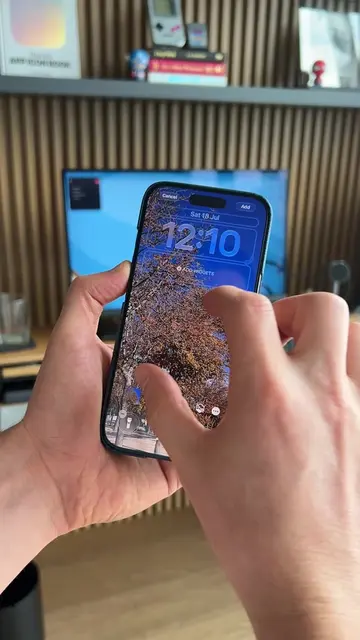
This video demonstrates how to create a smart, shared shopping list using the iPhone's Reminders app. It shows how to categorize items automatically and share the list with others for collaborative shopping.
📱 Mándaselo a quien hace el súper contigo. Así puedes crear una lista del súper compartida e inteligente en tu iPhone: 1️⃣ Abre la app Recordatorios. 2️⃣ Toca Agregar lista. 3️⃣ Ponle un nombre, por ejemplo: Súper. 4️⃣ Cambia el color y el ícono. Yo elegí una canasta. 5️⃣ En Tipo de lista, selecciona Compras del súper. 6️⃣ Empieza a agregar los productos que necesitas. El iPhone los organizará automáticamente en categorías como frutas, lácteos, limpieza o congelados. 7️⃣ Cuando un producto esté en la categoría equivocada, mantenlo presionado y arrástralo a la sección correcta. La próxima vez que lo agregues, Recordatorios debería colocarlo ahí automáticamente. 8️⃣ Para compartirla, abre la lista y toca el botón de Compartir. 9️⃣ Selecciona Copiar enlace y envíaselo a tu pareja, roomies o familia. Todos podrán agregar productos y marcar lo que ya compraron en tiempo real. 🔟 Para tenerla siempre a la mano, agrega un widget de Recordatorios: Mantén presionada la pantalla de inicio, toca Editar, después Agregar widget, busca Recordatorios y selecciona la lista del súper. Así ya no tienen que mandarse por WhatsApp lo que falta ni esperar que alguien vea el mensaje. Sígueme para más tips para sacarle todo el provecho a tu iPhone.
Así como haces tu lista de súper
Introduce the problem of managing shopping lists.
Show how to create a new list in Reminders.
Explain how to customize the list with icons and categories.
Demonstrate automatic categorization of items.
Show how to manually correct categorization.
Explain how to share the list for collaboration.
Bonus tip: Add a widget for quick access.
iPhone: It ACTS as the device on which the Reminders app is used to create and manage a shopping list. Removing it would change what happens in the video. Reminders app: It ACTS as the tool used to create and manage a shopping list. Removing it would change what happens in the video. WhatsApp: It APPEARS as a way to share the shopping list. Removing it would not change what happens in the video. beacons.ai: It APPEARS as the creator's link aggregator. Removing it would not change what happens in the video.
Mándaselo a quien hace el súper contigo.
Promotes 1 product. Create free account to see more.
Outliers and viral hits: their videos on Overshot, all time.