Loading video…
Sound

original sound - daniieltutos
DaniielTutos · Original audio
0:00–:––
Playing this video’s own audio, so you’ll hear the creator over the sound.
This video promotes it, but we haven’t matched it to a product page yet, so there are no product figures.
The video provides a clear, step-by-step tutorial on a common and practical task for smartphone users, addressing a potential pain point of data loss. The use of on-screen text and direct demonstration makes it easy to follow, and the creator's advice on backing up data adds value.
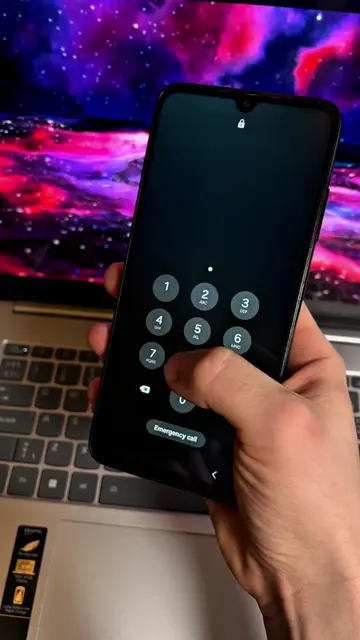
This video demonstrates how to perform a factory reset on an Android phone. It guides the viewer through the settings menu to erase all personal data, apps, and configurations, emphasizing the importance of backing up data before proceeding. The process concludes with the phone restarting to its initial setup screen.
Antes de restaurar tu Android a modo fábrica, cuidado 👀📱 Esto borra absolutamente todo: fotos, apps, cuentas, archivos y configuraciones. Haz respaldo, revisa tus cuentas y quita todo si lo vas a vender. ¿Alguna vez perdiste algo por formatear sin respaldo? 👇 #Android #RestablecerAndroid #TrucosAndroid #SeguridadAndroid #Celulares
¡RESTAURA TU CELULAR A MODO FABRICA!
Introduction to factory reset
Navigating to settings
Selecting reset options
Confirming the reset
Phone restarts and setup begins
Final confirmation of reset
Samsung (phone): appears, it is the device being operated on. Removing it would change what happens in the video. Google (apps): appear, they are part of the phone's operating system. Removing them would not change what happens in the video. Gmail (app): appears, it is part of the phone's operating system. Removing it would not change what happens in the video. Amazon (app): appears, it is part of the phone's operating system. Removing it would not change what happens in the video. Play Store (app): appears, it is part of the phone's operating system. Removing it would not change what happens in the video. YouTube (app): appears, it is part of the phone's operating system. Removing it would not change what happens in the video. Maps (app): appears, it is part of the phone's operating system. Removing it would not change what happens in the video. Chrome (app): appears, it is part of the phone's operating system. Removing it would not change what happens in the video. Telefon (app): appears, it is part of the phone's operating system. Removing it would not change what happens in the video. Mensajes (app): appears, it is part of the phone's operating system. Removing it would not change what happens in the video. Camara (app): appears, it is part of the phone's operating system. Removing it would not change what happens in the video. Galeria (app): appears, it is part of the phone's operating system. Removing it would not change what happens in the video. Reloj (app): appears, it is part of the phone's operating system. Removing it would not change what happens in the video. Contactos (app): appears, it is part of the phone's operating system. Removing it would not change what happens in the video. Ajustes (app): appears, it is part of the phone's operating system. Removing it would not change what happens in the video. Calendario (app): appears, it is part of the phone's operating system. Removing it would not change what happens in the video. Game Launcher (app): appears, it is part of the phone's operating system. Removing it would not change what happens in the video. Consejos (app): appears, it is part of the phone's operating system. Removing it would not change what happens in the video. SIM Telcel (app): appears, it is part of the phone's operating system. Removing it would not change what happens in the video. NoxCleaner (app): appears, it is part of the phone's operating system. Removing it would not change what happens in the video. Smart Switch (app): acts, it is used to back up data from the phone. Removing it would change what happens in the video. Drive (app): appears, it is part of the phone's operating system. Removing it would not change what happens in the video. Fotos (app): appears, it is part of the phone's operating system. Removing it would not change what happens in the video. Duo (app): appears, it is part of the phone's operating system. Removing it would not change what happens in the video. Meet (app): appears, it is part of the phone's operating system. Removing it would not change what happens in the video. Office (app): appears, it is part of the phone's operating system. Removing it would not change what happens in the video. WhatsApp (app): appears, it is part of the phone's operating system. Removing it would not change what happens in the video. Samsung Account (account): acts, it is used to verify the user's identity before resetting the phone. Removing it would change what happens in the video.
Playing this video’s own audio, so you’ll hear the creator over the sound.
Promotes 11 products. Create free account to see more.
Outliers and viral hits: their videos on Overshot, all time.