Loading video…
Sound

original sound - acasis.official
ACASIS · Original audio
0:00–:––
Playing this video’s own audio, so you’ll hear the creator over the sound.
Hook
Posted Sep 9, 2026Video · 0:31by @acasis.official
The video effectively showcases a practical upgrade solution for a popular product (Mac Mini), highlighting tangible benefits like increased storage and connectivity in a visually appealing and concise demonstration.
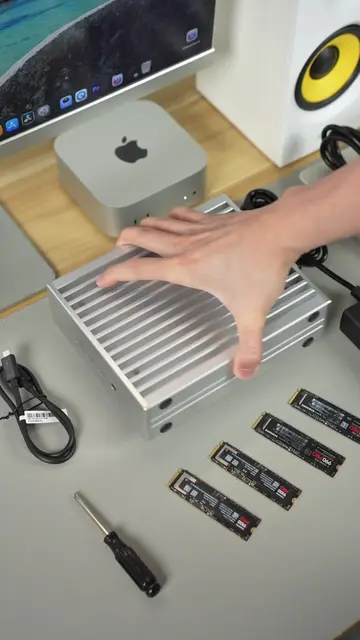
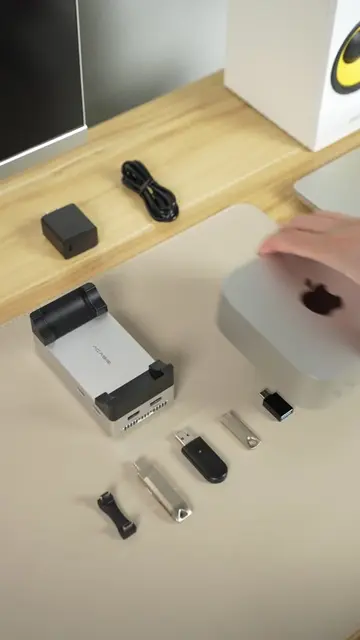
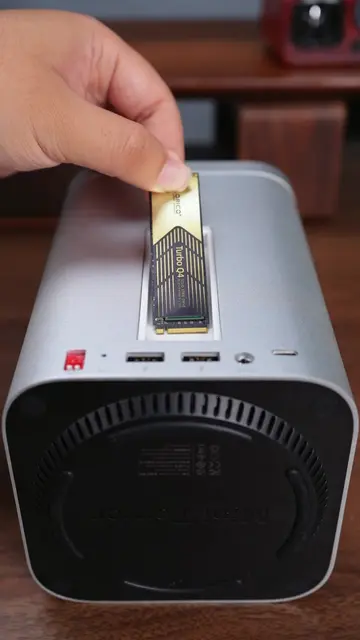
This video demonstrates the ACASIS SSD enclosure and hub, showcasing its ability to expand storage for a Mac Mini by installing SSDs and connecting multiple displays. It highlights the device's speed capabilities and connectivity options, positioning it as a powerful upgrade for a compact setup.
Plot twist: your Mac mini’s upgrade is hiding in plain sight. 👀 Just slot it in and turn your compact setup into something seriously capable. Less desk clutter. More storage. More ways to work. ⚡️ Ready to upgrade your setup? 🔗 Link in bio. #ACASIS #MacMini #MacMiniSetup #TechTok #DeskSetup #AppleSetup #CreatorSetup #Workstation
Plot twist: your Mac mini’s upgrade is hiding in plain sight.
Installing SSDs into the ACASIS enclosure
Connecting the enclosure to a Mac Mini
Testing storage speeds in RAID 0 mode
Demonstrating connectivity options (USB-C, SD card, displays)
Showing the expanded desktop setup with multiple monitors
ACASIS: ACTS - The video demonstrates this product being used to expand storage and connectivity for a Mac Mini. Removing it would change what happens in the video. Samsung 990 PRO 1TB SSD: ACTS - These SSDs are shown being installed into the ACASIS device. Removing them would change what happens in the video. Mac Mini: ACTS - The ACASIS device is shown being connected to and used with a Mac Mini. Removing it would change what happens in the video. Blackmagicdesign: APPEARS - This is a watermark on the Disk Speed Test software. Removing it would not change what happens in the video.
Link in bio.
Playing this video’s own audio, so you’ll hear the creator over the sound.
SSD enclosure and hub for Mac users who need extra storage and device connections
All time.
Outliers and viral hits: their videos on Overshot, all time.