Loading video…
Sound

original sound - qcumaveaaleiya45
veleiya45 · Original audio
0:00–:––
Playing this video’s own audio, so you’ll hear the creator over the sound.
The video leverages a high-interest, slightly taboo topic (the dark web) to provide a genuinely useful, high-value technical tutorial, making the software demonstration feel like an essential part of the story rather than an ad.
The creator demonstrates how to safely access the dark web by setting up a virtual machine using Oracle VirtualBox and Tails OS. The video walks through the configuration process to ensure the environment is wiped upon shutdown.
Setting up a secure virtual machine using Tails OS so I can safely explore the dark web without getting hacked #DarkWeb #CyberSecurity #TechTok #InternetMystery #storytime
The Safest Way In Exploring The Dark Web
Introduction to the goal of accessing the dark web safely
Overview of the required tools: VirtualBox and Tails OS
Step-by-step configuration of the virtual machine in VirtualBox
Explanation of the security benefits of the setup
Finalizing the virtual machine and booting into Tails OS
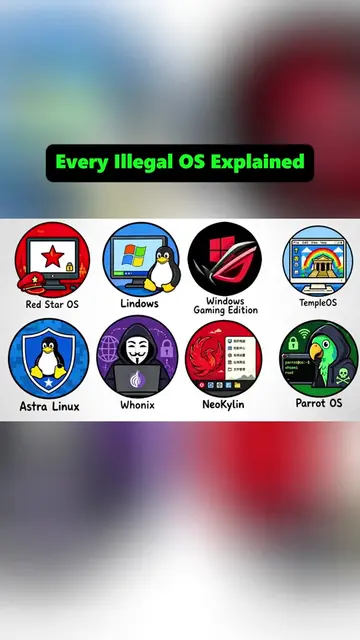
(a) Oracle VirtualBox: ACTS — its interface is operated to create a virtual machine, configure hardware, and mount an ISO. (b) Tails OS: ACTS — its interface is operated as the operating system within the virtual machine. (c) Tor Browser: APPEARS — mentioned in the diagram as part of the setup. (d) Google: APPEARS — used as a search engine in the opening. (e) Windows: APPEARS — used as the host operating system. (f) Ubuntu: APPEARS — shown as an alternative OS in a comparison graphic.
Playing this video’s own audio, so you’ll hear the creator over the sound.
Promotes 1 product. Create free account to see more.
Outliers and viral hits: their videos on Overshot, all time.
Welcome to VirtualBox.org! — VirtualBox is a general-purpose full virtualization software for x86_64 hardware (with version 7.1 additionally for macOS/Arm and with version 7.2 also for Windows/Arm), targeted at laptop, desktop, server and embedded use.
All time.