Loading video…
All breakouts
~129App DemoResult / Flex hookLifestyle
Hook
HOW I EDIT MY PHOTOS
@mariellatanc
4.6K followers · usually 2.0K views a post
Views
260.5K
Likes
36.2K
Comments
55
Shares
3.1K
Why it worked
The video provides high-value, actionable information by showing a specific, repeatable workflow for a common task, which encourages viewers to save the video for later use.
Summary
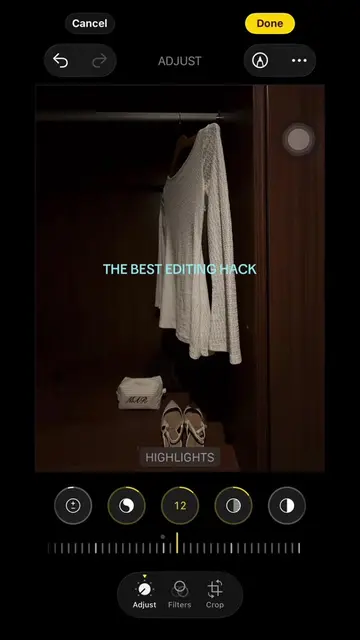
The creator demonstrates their photo editing process using the built-in adjustment tools within the Apple Photos app. The video shows a screen recording of the interface being manipulated to change the look of a photo.
Structure
- 1Creator opens photo editing interface
- 2Adjusts exposure and brilliance
- 3Adjusts highlights and shadows
- 4Adjusts contrast
- 5Finalizes edits
Product placement
Apple Photos app (a) ACTS: the interface is operated to adjust photo settings like exposure, brilliance, highlights, shadows, and contrast. Removing it would change the video entirely as it is the tool being demonstrated.
On-screen text
Replying to @PEX
HOW I EDIT MY PHOTOS
EXPOSURE
BRILLIANCE
HIGHLIGHTS
SHADOWS
CONTRAST
Original caption
Replying to @PEX
More from @mariellatanc
More breakout videos from this creator.