Loading video…
All breakouts
~1.1KApp DemoResult / Flex hookLifestyle
Hook
THE BEST EDITING HACK
@mariellatanc
4.6K followers · usually 2.0K views a post
Views
2.3M
Likes
313.5K
Comments
336
Shares
19.2K
Why it worked
The video provides a high-utility, time-saving tip for a ubiquitous app (Apple Photos) that many users were unaware of, presented in a concise, visual format.
Summary
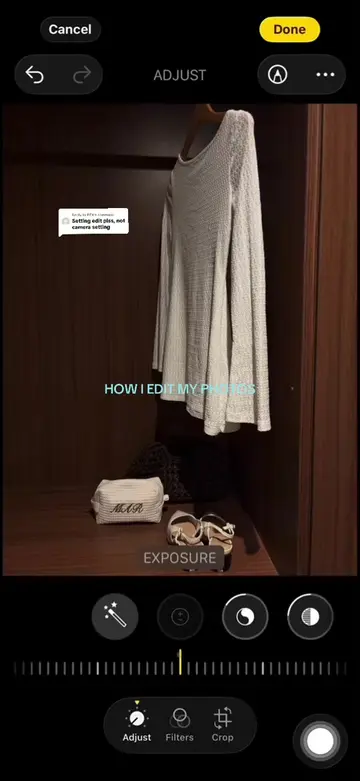
The creator demonstrates a native iOS Photos app feature that allows users to copy and paste editing adjustments across multiple photos at once. The video shows the interface steps required to select multiple images and apply the same exposure settings to all of them.
Structure
- 1Identify the editing hack
- 2Open the Apple Photos app
- 3Select the edited photo and copy adjustments
- 4Select multiple photos to apply the edits
- 5Paste the adjustments to all selected photos
Product placement
Apple Photos (the native iOS photo app): (a) ACTS — the creator demonstrates the 'Copy Edits' and 'Paste Edits' feature to apply adjustments across multiple photos. Removing this would make the video's core demonstration impossible. Rhode (the brand name on the bag in the photos): (b) APPEARS — it is a logo on a product in the background of the photos being edited. Removing this would not change the video.
On-screen text
THE BEST EDITING HACK
ADJUST
HIGHLIGHTS
INSTA
9 Items
Copy Edits
Adjust
Crop
Adaptive
Automatically match the exposure and color of this image when pasting edits.
9 Photos Selected
Pasting Edits...
Completed
More from @mariellatanc
More breakout videos from this creator.