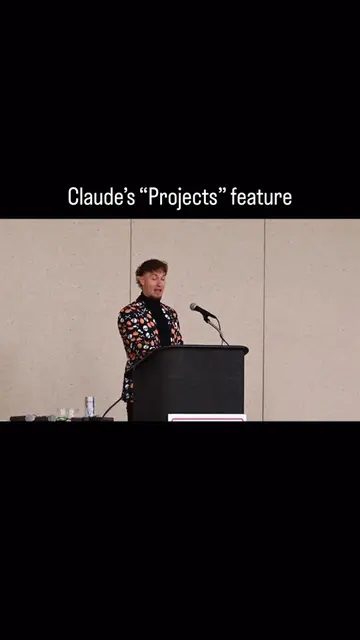
The video provides a comprehensive yet concise overview of a popular AI tool, highlighting its practical features and benefits. By demonstrating advanced functionalities like 'Projects' and comparing it to a well-known competitor (ChatGPT), it offers valuable insights and positions Claude as a powerful alternative, appealing to users seeking advanced AI capabilities.
Summary
This video provides a tutorial on the Claude mobile app, highlighting its features such as project creation, custom instructions, and various tools like web search and research capabilities. It contrasts Claude with ChatGPT, emphasizing Claude's ability to act as a devil's advocate and its potential for diverse applications like email drafting, content creation, and data analysis.
Structure
1Introduction to Claude as a top AI app
2Navigating the Claude mobile app interface
3Using projects for custom instructions and file references
4Exploring Claude's tools: extended thinking, research, web search, and integrations
5
Original caption
Claude AI Tutorial. In my opinion, this is the best AI app in the world right now. Let’s take a tour of all of the features of the mobile app. #claudeai #claude #aitutorial #aitok #aitools How to use Claude Ai What is Claude Ai Claude Ai tutorial
More from @ridergpt
Their other posts in the index, biggest breakout first.
Showcasing various use cases for Claude
6Comparing Claude to ChatGPT and highlighting its unique features
7Concluding with the creator's background and call to follow
Product placement
The video demonstrates the Claude mobile app, showcasing its interface, features like 'Projects', 'Tools' (Extended thinking, Research, Web search), and voice input. The app's logo and name are prominently displayed.
Call to action
Follow me for more AI news and use cases.
On-screen text
2026 Claude Tutorial
Claude
Claude Mobile App
How can I help you
this afternoon?
Chat with Claude
Camera
Photos
Files
Add project
Choose style
None
Normal
Cancel
Create a project
What are you working on?
Name your project
What are you trying to achieve?
Describe your project, goals, subject, etc...
Create Project
The
I'm
Coffee shop
Marketing plan for my coffee shop launching in
downtown Summerlin in October.
Projects
Coffee shop
Marketing plan for my coffee shop launching in downtown Summerlin in October.
Project knowledge
Add knowledge
Custom instructions
Add instructions
Chats you've had with Claude will show
up here.
Get inspired
All
Be creative
Play a game
Learn something
me and my colleague
my colleague and I
Use Y instead of 'me' on the subject, put the
other person first, and correct the spelling of
Claude
New chat
Chats
Projects
Artifacts
Start
$5
Writing editor
CodeVerter
Python
JavaScript
Enter Python
code here...
CodeVerter
PyLingo
QR code generator
Your life in weeks
Claude
Transcript
I'm going to take you from Claude beginner to expert. Claude is one of the world's most popular AI apps. It's right up there with ChatGPT and Google Gemini. But there are so many features and capabilities that most people aren't aware of. So let's do a full breakdown of the Claude mobile app. When we open up the app, it'll look like this. Where chat with Claude is where we'll put our prompt. Our prompt is the message that we give Claude in order to get something in return. If we click this plus sign, then this will pop up. We can access our camera and take a picture for Claude to analyze. We can upload a photo or we can upload a file. We can also access a project. Projects allow us to give preset custom instructions to Claude, as well as files to reference. So if we click on add project, then you can select an existing project that you've already made or create a new one. When we create a new one, we'll give it a title of whatever we're working on, as well as a brief description of what we want the project to help us achieve. We'll then click create project. And now we have two options. We can upload files that we always want the project to be able to have access to. We can also give it custom instructions based on how we want it to respond. Professional, casual, funny, or a certain writing style. Projects are an absolute hack when you find a couple of good use cases. Below projects, we have writing styles. This gives you the ability to choose the writing style of Claude's response. If we click the three lines next to the plus sign, then we can access our chats, projects, and artifacts. Artifacts are apps, tools, and content that have been created by other users. Flashcards, QR code generators, etc. Now, we can use Claude for hundreds of things, but these are some of my favorites. Emails, call scripts, social media content, brainstorming, data analysis, analyzing PDFs or documents. I personally don't use it to code, but I know that coding is a big use case. And having it take on certain personalities like devil's advocate can be super helpful. One of the major drawbacks to ChatGPT is it always wants to please the user and make them feel good about their ideas. So having Claude play devil's advocate and actually pick apart your ideas can be super helpful. Now, if we click the microphone on the right hand side, that enables speech to text. And if we click the white circle next to that, that enables voice mode, allowing you to have a conversation with Claude. If we click the top left corner, then we can access our chats, projects, and artifacts. Below that, we can connect Google Drive, Gmail, and your calendar if you want Claude to have access to that. This helps Claude become your unified AI assistant. We can also select research. This is where we can give Claude a pretty lengthy research task. And it'll go off and do it on its own for a couple of minutes and then come back to us with summaries and citations. Below that, we can flip on web search and give Claude access to the internet. You can also connect Google Drive, Gmail, and your calendar if you want Claude to have access to that. Now, we can use Claude for hundreds of things, but these are some of my favorites. Emails, call scripts, social media content, brainstorming, data analysis, analyzing PDFs or documents. I personally don't use it to code, but I know that coding is a big use case. And having it take on certain personalities like devil's advocate can be super helpful. One of the major drawbacks to ChatGPT is it always wants to please the user and make them feel good about their ideas. So having Claude play devil's advocate and actually pick apart your ideas can be super helpful. My name is Rider Harris and I do AI tool workshops across the country. Follow me for more AI news and use cases.