Loading video…
All breakouts
 CapCutseen in 576 videos →
5.0App DemoHow-To hook
Hook
let me show you
@john.ogwum
2.9K followers · usually 4.4K views a post
Views
20.0K
Likes
1.1K
Comments
20
Shares
83
Selling · SaaS › Other SaaS
Why it worked
The video provides a clear, step-by-step tutorial on a popular video editing feature (dynamic captions), which is highly sought after by content creators. The use of native mentions and a clear demonstration within the app itself makes it easily understandable and actionable.
Summary
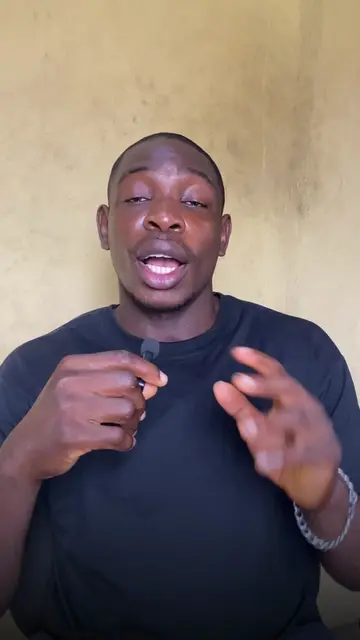
This video demonstrates how to create dynamic caption styles in CapCut. It covers generating captions, customizing fonts and colors, adding shadows for depth, and animating text with keyframes for a fading and moving effect.
Structure
- 1Generate captions in CapCut
- 2Customize font, color, and add shadow
- 3Animate text with transform and blend keyframes
- 4Add movement by adjusting position with keyframes
Product placement
The video demonstrates editing features within the CapCut application, specifically focusing on caption generation and animation.
On-screen text
let me show you
Dynamic
Caption Style
all using
CapCut
This is currently
my most requested
video
so let's get
right into it
THE FIRST STEP
YOU JUST NEED TO
YOUR CAPTIONS
dynamic
caption style
ONCE YOU'VE
YOUR CAPTIONS
NOW YOU
ARRANGE THEM
THEM TO APPEAR
ON SCREEN
THIS MEANS
THE FONT SIZE
COLOUR TO
LOOKS GOOD
PERSONALLY
MY MAIN COLOUR
IS RED
I USE TWO FONTS
THE NEW TIMES ROMAN
BOLD ITALIC
AND THE SEGOE BLACK
I ADDED A BIT OF
TO GIVE IT
A BIT OF DEPTH
AND POP
BACKGROUND
TO ANIMATE
OUR TEXT
AND GO AT LEAST
EIGHT FRAMES
FORWARD
THEN YOU DROP
TRANSFORM KEYFRAME
AND A BLEND
KEYFRAME
NOW GO TO
THE FIRST FRAME
OF YOUR TEXT
AND DROP ANOTHER
TRANSFORM
AND BLEND
KEYFRAME THIS
THE ANIMATION
ON THE FIRST
BLEND KEYFRAME
CHANGE THE BLEND
FROM 100%
DOWN TO 0%
THIS CHANGE
IS GOING TO GIVE
FADING ANIMATION
NEXT LET'S ADD
TO THE TEXT
MOVEMENT
DEPENDING ON
YOU WANT TO GO
GO BACK AND
ON EITHER THE Y
OR THE X AXIS
BY 100
RIGHT INTO IT
THIS IS WHAT
GIVES IT
THAT SMOOTH
TEXT ANIMATION
LITERALLY IT SO
TO DO THIS TO
AS YOU WANT AND
WHATEVER WAY
YOU WANT
Original caption
This is how I make my captions pop 👀✨ #VideoEditing #EditingTips #CapCutTips
More from @john.ogwum
Their other posts in the index, biggest breakout first.