Loading video…
Sound

original sound - worksmart_nohasheta
Noha Sheta · Original audio
0:00–:––
Playing this video’s own audio, so you’ll hear the creator over the sound.
Hook
Posted Jun 18, 2026Video · 0:38by @worksmart_nohasheta
This video promotes it, but we haven’t matched it to a product page yet, so there are no product figures.
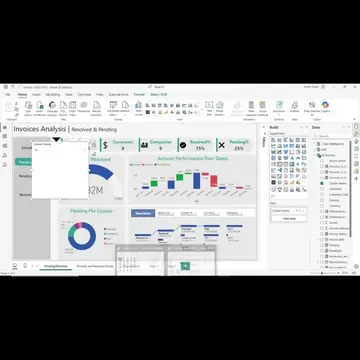
The video effectively demonstrates a practical application of AI (Claude) to solve a common pain point for Power BI users (writing DAX equations), making it highly relevant and valuable content.
The video explains how Claude AI can directly write equations within Power BI, eliminating the need for manual input. It highlights that this feature is detailed in their course, which covers all necessary DAX equations and is updated for free for subscribers.
Ask Claude AI Tool to Add Measures in Power BI كلود يكتب المعادلات مباشرة في الباور بي أي #ClaudeAI #Claudeinpowerbi #dataanalysisinarabic #powerbiinarabic #PowerBICourse
كلود يكتب المعادلات مباشرة جوا الباور بي اي
Introduction to Claude AI writing Power BI equations
Explaining the process: user specifies file and equations
Mentioning Time Intelligence functions
Detailing the course content on DAX equations
Highlighting free updates for course subscribers
Call to action: enroll in the DAX course
Claude AI (ACTS - writes equations directly in Power BI, enabling users to specify desired equations and file names for Time Intelligence functions. Removing it would prevent this automated equation generation.) Power BI (ACTS - the software where Claude AI adds equations. Removing it would mean the equations have no target application.) Time Intelligence (APPEARS - a category of functions within Power BI, not a specific product. Removing it would not change what happens in the video.)
فبنصحك ان انت تشترك في كورس الدكس بتاعنا
Playing this video’s own audio, so you’ll hear the creator over the sound.
Promotes 1 product. Create free account to see more.
Outliers and viral hits: their videos on Overshot, all time.