Loading video…
All breakouts
13.0Talking HeadOther hookEducation
Hook
لو انت مهتم
@worksmart_nohasheta
7.8K followers · usually 709 views a post
Views
8.9K
Likes
425
Comments
3
Shares
51
Why it worked
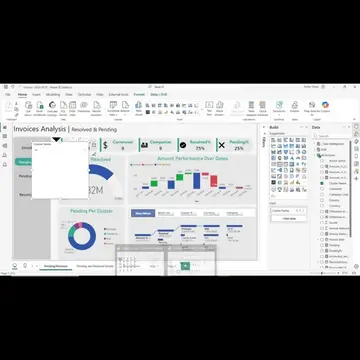
The video provides a practical, step-by-step tutorial on a specific feature within a popular data analysis tool (Power BI). By showcasing pre-built solutions for common time-based calculations, it offers immediate value and a clear solution to a potential user pain point, making it highly shareable among data analysts and business intelligence professionals.
Summary
The video demonstrates how to use 'Quick Measures' in Power BI to calculate time-based changes like month-over-month, year-over-year, and year-to-date values. It explains that many of these calculations are pre-built and can be easily implemented by selecting a measure and defining the value and date columns.
Structure
- 1Introduction to time intelligence measures
- 2Explaining month-over-month and year-over-year changes
- 3Introducing year-to-date calculations
Original caption
معادلات التغيير مع الزمن (تغيير من شهر لاخر، حساب اجمالي السنة...) Quick measures for time intelligence in Power BI #quickmeasures #readyequations #powerbi #nohasheta #powerbiinarabic nohasheta.com
More from @worksmart_nohasheta
More breakout videos from this creator.