Loading video…
All breakouts
36.8App DemoOther hookConsumer Apps
Hook
More privacy on what's app 🙏✅🔒
@sawag_queen_67
8.2K followers · usually 72.8K views a post
Views
1.9M
Likes
54.3K
Comments
656
Shares
3.4K
Promoted product
WhatsApp
Why it worked
The video leverages a common user concern (privacy on a popular app) and provides a clear, step-by-step demonstration of how to address it, making it highly practical and shareable.
Summary
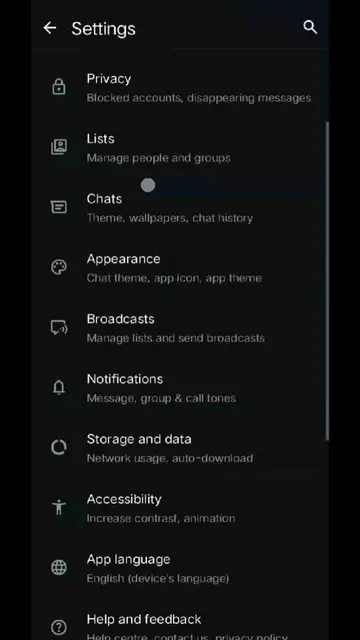
The video demonstrates how to enhance privacy settings within WhatsApp. It shows users how to navigate to the privacy settings, adjust read receipts, set disappearing messages, and enable advanced features like "Strict account settings" for increased protection.
Structure
- 1Introduction to WhatsApp privacy
- 2Navigating to privacy settings
- 3Exploring various privacy options
- 4Enabling strict account settings
- 5Confirmation of strict account settings
Product placement
WhatsApp (ACTS - messaging app, used to demonstrate privacy features, removing it would change the video's content)
On-screen text
More privacy
on what's app
Privacy
Status
178 contacts excluded
Read receipts
If turned off, you won't send or receive
Read receipts. Read receipts are always
sent for group chats.
Disappearing messages
Default message timer
Start new chats with disappearing
messages set to your timer
Off
Groups
My contacts
Avatar stickers
My contacts
Live location
Calls
Silence unknown callers
Contacts
Blocked accounts, WhatsApp contacts
App lock
Disabled
Chat lock
Allow camera effects
Use effects in the camera and video calls.
Learn more
Advanced
Protect IP address in calls, Disable link previews
Privacy checkup
Control your privacy and choose the right settings
for you.
Strict account settings
This is a set of extreme protections and should only
be used if you believe you are at risk of a cyber
attack. Learn more
Media and attachments will be
blocked from unknown senders.
Privacy settings will be updated
to limit who can call or add you to groups.
When turned on, certain settings
will be locked. You can turn off
Strict account settings at any time.
This will reduce call quality.
Next
Strict account settings is on
View locked settings
Turn off
Original caption
Follow for more tip's and sport me ❤️🫠 . . . . . . . . . . . . #veiwproblem🥀 #1millionlikes💥❤️ #growmyaccount✅♥️♥️♥️ #plzzunfreezemyaccoun😭🙏😥fyp #foryoupage❤️❤️
More from @sawag_queen_67
More breakout videos from this creator.