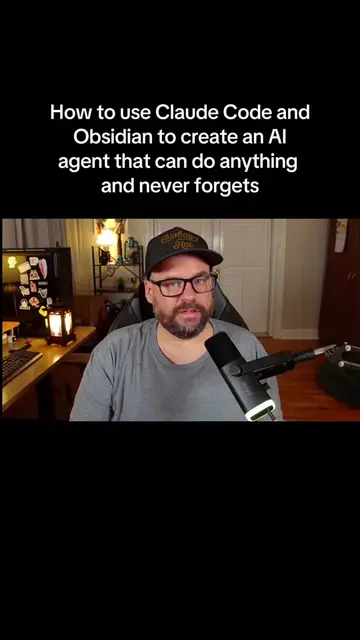
The video provides high-value, actionable technical advice on a trending topic (AI prompting) while using a 'giveaway' mechanic to drive engagement and build an email list.
Summary
The creator explains how he uses Obsidian as a knowledge base to prime AI models like Claude with specific marketing context and skills. He offers to share his own battle-tested marketing notes with viewers who follow and message him.
Structure
1Introduction to AI-driven business success
2The problem of AI without context
3Demonstration of Obsidian as a priming tool
4Walkthrough of the folder and note structure
5Explanation of why this method works
6Call to action to get the marketing notes
Product placement
The creator promotes his own 'Marketing Notes' (a collection of templates/prompts) which he shares via his website.
Call to action
Original caption
How I use Claude + Obsidian to generate monthly recurring revenue. #claudecode #claude #developer
More from @jaredrhod
Their other posts in the index, biggest breakout first.
Please like this video, give me a follow, and then send me a message. Tell me you watched this video and you'd like a copy of the files, and I'll send you the link right over.
On-screen text
How I use Claude + Obsidian to generate monthly recurring revenue
The Numbers
@jaredrhod
Drafting Emails
The steps (do these in order)
Customer Avatar
Customer Questions
Pick the Type and Topic
Set Up the Send
Write the Email
Transcript
I'm Jared, and my three businesses make about $100,000 a month combined and over $1 million a year, and all three are run on AI. Everybody's using AI right now, but hardly anybody's actually making money with it. And the reason is, it's really easy to develop stuff and put a website up, but if no one knows it exists, then you have a problem. And that's where marketing comes in, and that's what I do, AI marketing. And I'm going to show you one of the most powerful things that I do to bring in money every single month. And no, I'm not going to pitch you some kind of course or something at the end of this video. I'm actually going to show you how to do it right here and right now, and at the end, I'm even going to tell you how you can access the same exact tools I use. AI always works a lot better if it has good context. And as a marketer, you can give it that good context by telling it all about your company, your product, your customers, and giving it the skills it needs, like copywriting, writing emails, running Facebook ads, and knowing exactly what it takes to turn a stranger into a customer. Everybody always talks about AI prompting, but there's something way more powerful you can do. I call it AI priming. This is Obsidian, and I have a lot more videos on this if you want to watch those. But the reason it's so powerful is that you can prompt your AI in either Claude or Claude Code or wherever, but before it gives you the result or the output that you're asking it to give you, it can come in here to Obsidian and read all of these notes. These can be skills, more context, whatever. And you can tweak them over time to make them perfect. So every single time that you prompt your AI and it comes over here and reads these, the output is consistent and it's really good, too. This is AI priming. Now, I have a little sample Obsidian vault setup here just to give you a demonstration. Mine is set up similarly to this, but I think you'll get the idea. So I have a folder here called Jobs, okay? And in this folder, I have all these different jobs that I might want my AI to do, okay? So let's say I want it to draft me an email. I come and going to send an email to my list or something, okay? So it always has one note that's the same as the folder name. So the folder name is Drafting Emails, the note is called Drafting Emails. And what this does is this is set up as the index of this entire folder. This is the note that gives the AI all of the instructions, okay? And then I have other notes in here like picking the type and the topic, setting up the send, and then actually writing the email. But this note right here, Drafting Emails, this is the main one. This is what tells it, you know, how to do it, what to go read first. So for example, right here, you see it has the steps, do these in order, okay? Read the brain first, read the email marketing note. So it comes in here and it's like, oh, okay, I need to go read this. And it reads the email marketing note, which takes it to this note, okay? And it tells it, basically, how to do email marketing, okay? And then it says, also go read the copywriting note. So it comes over here, it reads everything about copywriting, and it has all these other links in here too, okay? And then it says, read the customer avatar. So what you do is you set up this note about, you know, who your customer is. And this is really important too, because like you wouldn't want to sell skateboards to 95-year-old women who live in nursing homes, right? So having your customer avatar and letting your AI know about the types of people that it's going to send emails to is really important and also really powerful, okay? So we'll go back to Drafting Emails here. Uh, and then they one thing that I do is have it read the customer questions. So if your customers are always always asking questions, uh, you know, about your product or sending you emails, you can put those in here for it to read. And these are just some basic examples, but usually when a customer sends you an email or asks you a question, it's kind of detailed and it gives the AI information about like how they talk, what their fears are, like what their most common questions are. So this is not an absolute necessary step, but it is really helpful to have your customer questions in here, okay? And then it'll tell it, uh, you know, go pick the type and the topic. So you can have different types, topics. This is just a very stripped down note, uh, to show you an example. And then set up the send, write the email, etc. Now, the reason that this works so well is that you're giving it context about you, your customers, what you do. You know, you could have another note in here that says, uh, uh, company knowledge base and tell it everything about the company, the product. I don't have one in this demonstration, but uh, you could. Uh, you can beef this up as much as you want. Like I said, this is just kind of a stripped down example to just kind of show you the make my point here, okay? So, and the other reason it's really powerful is that you're giving it the skills, right? You're giving it the like the copywriting note and the email marketing note. So, it's not just writing an email blind, it's actually reading a note about how to do good copywriting, which is important if you want people to open and read your emails. Subject lines, email body, all that is really important when, you know, sending an email and getting people to open and read it. Now, obviously, if you want this to work well, you have to have good notes, right? I can't really help you with your company notes, but what I can give you are my battle-tested and proven marketing notes. Facebook ads, Instagram ads, emails, copywriting, the whole thing. And trust me, digital marketing still works just as well today as it always has. But now, it works even better because you can use AI to accelerate it and automate it. Now, here's what you're going to do when you get these notes. You're going to give them to Claude or Claude Code or ChatGPT or whatever you use. And as soon as you give them the notes, they're going to have all the skills that I've loaded into these files. And on top of that, they're going to understand the entire sales funnel. How to take someone from cold traffic to a prospect who doesn't know anything about you to a buyer on your email list. So here's what I want you to do. Please like this video, give me a follow, and then send me a message. Tell me you watched this video and you'd like a copy of the files, and I'll send you the link right over. Thanks, and we'll see you next time.