Loading video…
All breakouts
10.2App DemoResult / Flex hookCreator Economy
Hook
Balance £0.00
@uk23123
288.3K followers · usually 281.8K views a post
Views
2.8M
Likes
56.7K
Comments
794
Shares
1.9K
Why it worked
The video provides a clear, step-by-step demonstration of a useful feature within a popular app, appealing to users interested in managing their digital well-being. The visual cues and straightforward navigation make it easy to follow and replicate.
Summary
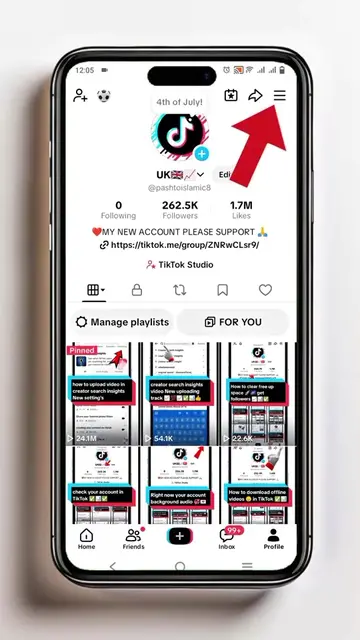
The video demonstrates how to navigate TikTok's settings to access the "Time and well-being" section, specifically focusing on missions and badges related to screen time management. It shows the user completing a mission to earn a badge and then prompts them to follow.
Structure
- 1Navigate to Settings and privacy
- 2Access Time and well-being
- 3View screen time and badges
- 4Complete a mission to earn a badge
- 5Receive confirmation and prompt to follow
Product placement
TikTok (app): A social media platform for creating and sharing short-form videos. It ACTS as the platform on which the video's tutorial takes place. Removing it would fundamentally change the video's context and functionality. It is the substrate for the video's content, not the subject being sold.
Call to action
Follow
On-screen text
Balance
£0.00
Personal tools
Activity centre
Offline videos
Your QR code
& business tools
Tok Studio
Settings and privacy
Activity
Manage posts
Content preferences
LIVE
Notifications
Time and well-being
Family Pairing
Account
Account
Security and permissions
Analytics
Share profile
hi UK
Check your screen time, try a mindful activity, or simply take a break - this space is for you.
Screen time
11m
Daily average
Sun
Mon
Today
Wed
Thu
Fri
Sat
Badges
1/9
Pause and reset
Today, I am...
Pick 2 words to create an affirmation that feels true to you.
Your missions
How well do you know TikTok's well-being tools?
Complete each mission to collect all 9 badges.
1/9
Card 3/3
Beyond setting up sleep hours and daily screen time limits, you can also take moments to reflect.
Before opening TikTok, consider what you're looking to get out of your time online. Be intentional and stick to your goals.
Collect badge
Start your streak
Nice work!
Congratulations! You earned the screen time badge. Continue completing missions to collect all 9 badges.
Add to Story
Follow
Original caption
How to make real story in TikTok #foryoupage❤️❤️ #unfreezemyaccount #grow
More from @uk23123
More breakout videos from this creator.