Loading video…
Sound

original sound - cybersecuritygirl
Cybersecurity Girl · Original audio
0:00–:––
Playing this video’s own audio, so you’ll hear the creator over the sound.
Hook
Posted Jul 9, 2026Video · 0:52by @cybersecuritygirl
The video addresses a timely and concerning privacy issue related to AI and social media, providing a clear, actionable solution. The creator's expertise in cybersecurity adds credibility, and the direct instructions make it easy for viewers to protect themselves.
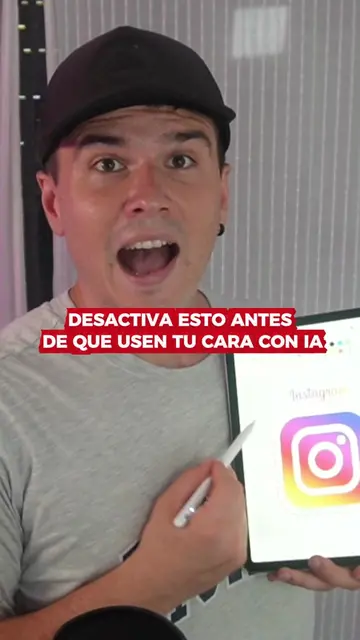
This video explains a new Instagram feature that allows users to generate AI images using others' photos by default. The creator demonstrates how to disable this feature in the settings to protect users' likeness from unauthorized AI generation.
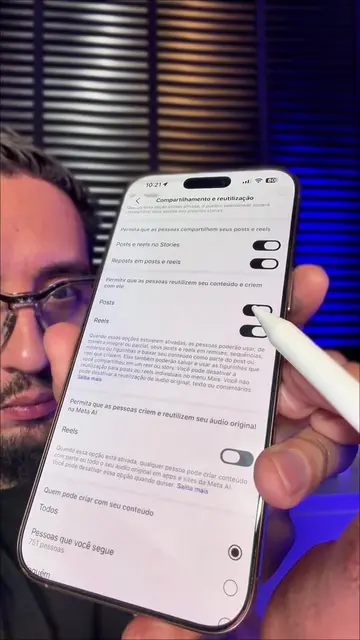
Meta just rolled out a new feature that lets people use public Instagram posts and reels to generate AI content, and it’s turned on by default. It’s powering their new image model, Muse Image. The catch? If your Instagram is public, anyone can @-mention your username in a prompt and Meta AI will pull your photos as visual references to generate new images of you. No consent request. You are opted in by default, and Meta explicitly says you will not be notified. You have to opt OUT yourself. Here’s how (takes ~30 seconds): 1️⃣ Open Instagram and tap your profile 2️⃣ Tap the three-line menu in the top-right corner 3️⃣ Scroll down to “Sharing and reuse” 4️⃣ Find “Allow people to use your content on Instagram and with AI features on Meta” 5️⃣ Toggle OFF both Posts and Reels Two things you need to know: ⚠️ AI content created prior to turning it off isn’t deleted -this only stops FUTURE generations. ⚠️ Muse Image is still rolling out, and so is the toggle to turn off AI use - so if you don’t see it yet, check back in a few days and do it then. Bonus: You can also make your Instagram account private, which prevents the feature from using your content altogether This is the pattern to watch: opt-out instead of opt-in. The burden always lands on you to find the setting and shut it off. That’s exactly why knowing where these toggles live matters more than ever. Save this. Share it with someone who has a public account. Follow @cybersecuritygirl for more online security tips
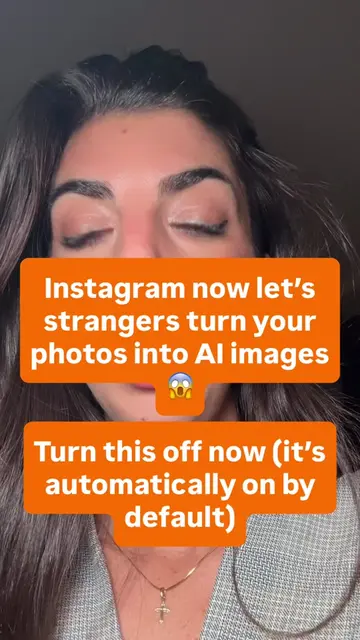
Instagram now lets strangers turn your photos into AI images 😱
Introduction to the new Instagram AI feature
Explanation of how it works and privacy concerns
Demonstration of how to opt-out in settings
Warning about existing AI generations
Call to action to follow and share
Instagram (app): social media platform where users share photos and videos. It ACTS as the platform where the AI image generation feature is enabled. Removing it would change the context of the video. Meta (company): parent company of Instagram, responsible for rolling out the new AI feature. It ACTS as the entity enabling the feature. Removing it would change the context of the video. Muse Image (AI model): Meta's new AI model used for generating images. It ACTS as the tool generating AI images. Removing it would change the context of the video. WIRED (publication): a magazine that published an article about the new Instagram feature. It APPEARS as a source of information. Removing it would not change what happens in the video.
Like and follow for more cybersecurity tips, be sure to share this
Playing this video’s own audio, so you’ll hear the creator over the sound.
Promotes 2 products. Create free account to see more.
Outliers and viral hits: their videos on Overshot, all time.
AI image generation feature in Meta AI for people creating images
All time.