Loading video…
Sound

original sound - xotic_pc
XOTIC PC · Original audio
0:00–:––
Playing this video’s own audio, so you’ll hear the creator over the sound.
Hook
Posted Jul 23, 2026Video · 0:48by @xotic_pc
The video addresses a common user concern about privacy in Windows 11 and offers a simple, free solution. The clear demonstration of the problem and the easy-to-use tool makes it highly shareable and valuable content.
This video explains how Windows 11 tracks users by default with features like Copilot and Recall, and how these settings are difficult to disable. It then introduces O&O ShutUp10, a free tool that allows users to easily disable these tracking features and potentially improve PC performance.
This free tool shuts down Windows spyware in seconds 🔒 Shut Up 10! is essential #windows #privacy #security #pcgaming #xoticpc
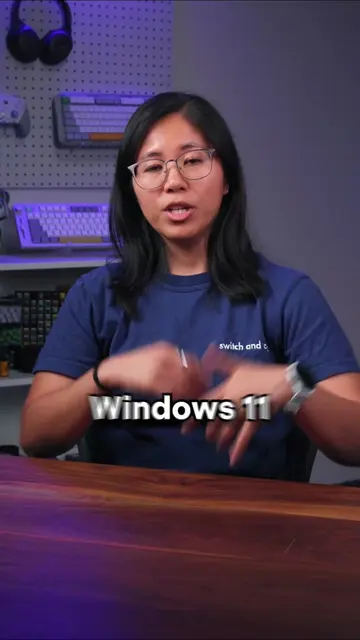
Windows 11 tracks you an uncomfortable amount by default.
Introduction to Windows 11 tracking
Demonstration of difficult privacy settings
Introduction of O&O ShutUp10
Explanation of O&O ShutUp10's features
Benefits of using O&O ShutUp10
Windows 11 (operating system) - acts: it is the operating system that the video discusses and provides settings for. Removing it would change the video. Copilot (AI assistant) - acts: it is an AI assistant feature within Windows 11 that the video discusses disabling. Removing it would change the video. Recall (screenshot feature) - acts: it is a screenshot feature within Windows 11 that the video discusses disabling. Removing it would change the video. O&O ShutUp10 (utility software) - acts: it is a tool that the video demonstrates and recommends for disabling Windows features. Removing it would change the video. Xotic PC (brand) - appears: it is the creator's brand, visible in the handle and bio. Removing it would not change the video's core message about Windows privacy.
Download for free
Playing this video’s own audio, so you’ll hear the creator over the sound.
Promotes 1 product. Create free account to see more.
Outliers and viral hits: their videos on Overshot, all time.
Windows privacy utility for changing tracking and data-sharing settings
All time.