On-screen text
Gene Expression
Regulation
Overview
Protein Structure & Function
Overview
Shape
Alpha-helices & B-sheets
Feedback inhibition
Cell Communication
Enzyme-coupled receptors
Signaling
Response
Cell Cycle
iPad Orientation
Monoprotic Acid-Base Equilibria
Applying Quantum Mechanical Principles to Simple Systems
The Particle in a Box
Finite depth box = more realistic
v(x) = 0 for -a/2 <= x <= a/2
v(x) = Vo for x > a/2, x < -a/2
Amplitude of the eigenfunction need not be zero at the ends of a box
(x(x) = 0 and:
d^2y(x)/dx^2 = -2mE y(x) / h^2
Has the same general form as in QM
Paper Templates
Essentials
Writing Papers
Grid paper
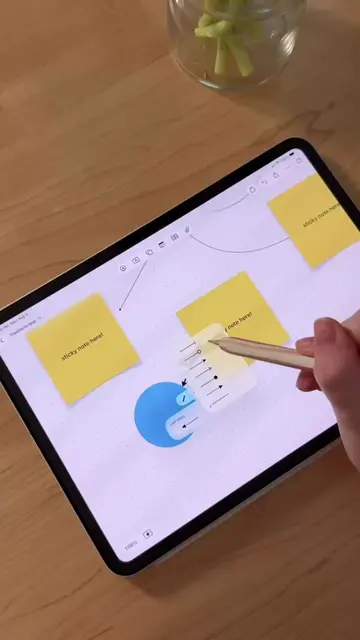
Grid paper was always my preferred note-taking paper because I was a chemist and the grid helped me keep my writing even and helped me draw lots of graphs, diagrams, and mechanisms. Most note-taking apps on iPad will have different papers and templates to choose from. And if you decide notes to have a hard copy to study later, you can always change the paper template to something else after you're done taking notes. I would typically set up my notes page the night before lecture with the heading of whatever we were covering, either handwriting it myself or using a cool font for the header. And I always chose a color for that specific chapter or lesson. This really helped me with studying and recall because I associated teal for instance with cell communication or purple for particle physics. The ball pen is my favorite because I got the most consistent writing with it since the pressure I applied didn't matter. It just made all of my handwriting look even and clean. I used the 0.5 or the 0.6 mm for my headers, and then 0.4 mm for bulleted notes and equations. And this added some hierarchy to my notes. I'd often highlight whatever my accent color was for the headers and a lighter color for the accent for important definitions or things that I'd want to remember. For important information or notes in the margins rather than writing in black like I would for my regular notes, I would often write in whatever accent color was to draw special attention to that note or equation. In Goodnotes, you can customize the shape to have square or rounded corners and I would make sure the fill color option is selected for something like equations and then just draw my box around them to make any diagrams that I pulled look a little cleaner, boxes around those as well, again in that accent color, but with the fill color option toggled off. My notes are actually pretty simple by keeping with the system, but there are digital stickers, stickers that look like sticky notes or sticky flags and icons that you can use to call attention to certain aspects of your notes as well. Whatever system for note taking, I recommend sticking with it because you'll get faster at taking notes over time and quickly recall information from in a test taking scenario. You'll notice that all of my notes adopted this same exact system because it worked really well for me and it was just adapted to whatever that topic was. I'll see you in episode 5 where I share the best way to set up your calendar and reminder lists so you never miss an assignment or deadline.