Loading video…
Sound

original sound - techwithgracee
Tech With Grace · Original audio
0:00–:––
Playing this video’s own audio, so you’ll hear the creator over the sound.
The video taps into a strong user interest in online privacy and personal data control. By demonstrating a powerful, almost 'magical' capability of an AI tool to uncover hidden online information, it creates a sense of intrigue and utility that drives engagement and shares.
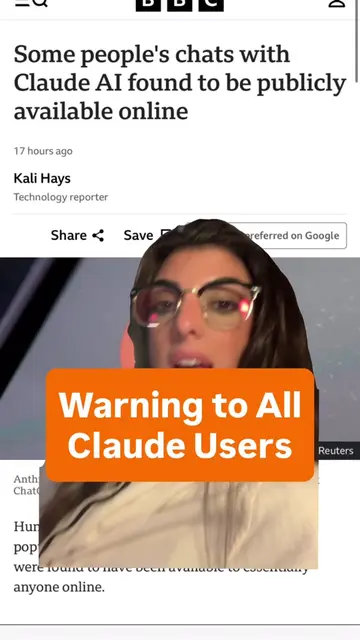
The video demonstrates how to use the AI assistant Claude to find every instance of a person's photos online. It shows how to upload a selfie, have Claude analyze it for recognizable features, and then use Claude with a Chrome extension to perform reverse image searches across the internet. The creator highlights this as a powerful tool for understanding one's online presence and privacy.
Will you try this? Let me know in the comments. Note that you can also achieve this with ChatGPT Work. Video credit: @mavgpt #ai #aitools #claude
let's watch this video together
Introduction to Claude's photo-finding capability
Demonstration of analyzing a selfie for recognizable features
Setting up Claude with a Chrome extension for internet-wide search
Executing the reverse image search and reviewing the results
Using Claude to generate custom takedown requests for found photos
Concluding with a call to action and encouragement to try the feature
Claude: Claude is an AI assistant that can find information and perform tasks. It ACTS by analyzing photos, browsing the internet, and generating text. Removing it would change what happens in the video. Claude.ai: This is the website for Claude. It merely APPEARS as a source of information. Removing it would not change what happens in the video. Google Play: This is a platform for downloading apps. It merely APPEARS as a source of information. Removing it would not change what happens in the video. Claude by Anthropic: This is an app by Anthropic. It merely APPEARS as a source of information. Removing it would not change what happens in the video. Claude.com: This is the website for Claude. It merely APPEARS as a source of information. Removing it would not change what happens in the video. Google Chrome: This is a web browser. It ACTS by being used to search the internet. Removing it would change what happens in the video. Gmail: This is an email service. It APPEARS as a connector option. Removing it would not change what happens in the video. Google Drive: This is a cloud storage service. It APPEARS as a connector option. Removing it would not change what happens in the video. Slack: This is a communication platform. It APPEARS as a connector option. Removing it would not change what happens in the video. GitHub Integration: This is a tool for developers. It APPEARS as a connector option. Removing it would not change what happens in the video. Notion: This is a productivity tool. It APPEARS as a connector option. Removing it would not change what happens in the video. SecureBank.io: This is a financial service. It APPEARS in a privacy request template. Removing it would not change what happens in the video. PhotoShare-Plus.com: This is a photo sharing website. It APPEARS in a privacy request template. Removing it would not change what happens in the video. MailConnect.org: This is a service for managing email. It APPEARS in a privacy request template. Removing it would not change what happens in the video.
Will you try this? Let me know in the comments. Share this video with someone that would be actually interested in their internet privacy and for more AI and tech tips. Follow me @techwithgrace and for more AI and tech tips like this. See you in my next video.
Playing this video’s own audio, so you’ll hear the creator over the sound.
Promotes 2 products. Create free account to see more.
Outliers and viral hits: their videos on Overshot, all time.
AI assistant for people solving work and creative tasks
Views and creators: posted in the last 30 days (English videos). Videos: all time.