Loading video…
Sound

original sound - maryanna_illustrates
maryanna_illustrates · Original audio
0:00–:––
The video provides a clear, step-by-step tutorial on a creative process that results in a visually appealing and usable product. The use of readily available tools like an iPhone and Canva, combined with the demonstration of a practical application (printing on products), makes it highly relatable and actionable for viewers interested in design and DIY projects.
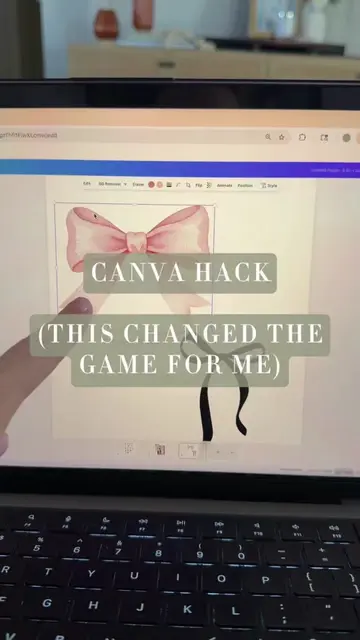
The video demonstrates a technique for creating a seamless repeat pattern by drawing on four pieces of paper, splitting them, and rearranging them. The creator then shows how to scan these pieces using an iPhone's notes app or a traditional scanner, edit them in Canva to remove seam lines, and finally use the resulting pattern for printing on various products.
This is my favorite thing to do and turning it into an ACTUAL pattern that you can use is not actually very hard! 1. Scan with an @apple IPhone in the notes app (or a traditional scanner) 2. Edit in @canva_uk and save as a PDF or JPEG 3. Import into any of the website below to print on fabric, wallpaper, phone cases, etc! @spoonflower - I have personally used them for fabric printing for years. Also great for wallpaper, wrapping paper and more @gelato - Gelato is great for products like phone cases, art prints and tote bags @printedcom - Printed.com is my personal choice for small batch cards and art prints @society6 - I haven't personally used this one but they are said to be great for tote bags, cushions, art prints! @etsy (or @etsyuk) - Upload your design on Etsy and you can sell as a digital download! Tag me if you try! #liveillustrator #fashionillustrator #patterndesign #repeatpattern #textiledesign
Make a Repeat Pattern (and USE IT!)
Drawing a design across four pieces of paper
Splitting and rearranging the papers to create a seamless pattern
Scanning the pattern pieces using a phone or scanner
Editing the scanned images in Canva to remove seam lines
Using the final pattern for printing on products
Apple iPhone (used for scanning documents, which is a capability of the phone); Canva (an editing software used to edit scanned images and arrange them into a pattern); Spoonflower (a website for printing custom designs on fabric and wallpaper); Gelato (a website for printing custom designs on products like phone cases)
I've put some websites down in the caption to help you find doing this physically means there are going to be imperfections, but I have made so many usable prints this way and I am addicted
Promotes 1 product. Create free account to see more.
Outliers and viral hits: their videos on Overshot, all time.
Design app for people creating presentations, worksheets, and other visual content
All time.