Loading video…
Sound
High Energy
FASSounds
0:00–:––
- Videos using it
- 21
- Creators
- 18
- Views on those videos
- 24.9M
This video promotes it, but we haven’t matched it to a product page yet, so there are no product figures.
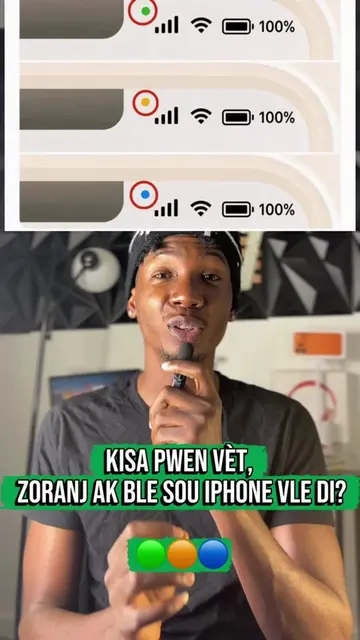
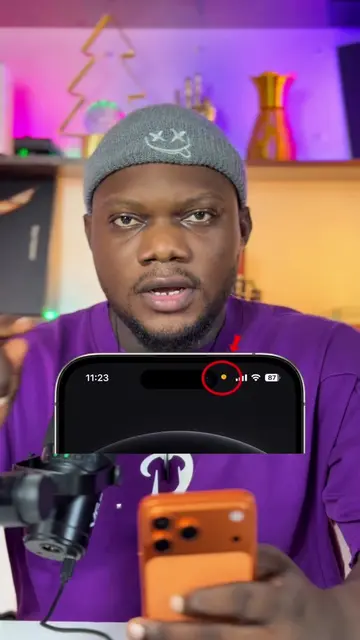
The video addresses a common point of confusion for iPhone users regarding network connection symbols, providing a clear and concise explanation in Haitian Creole, which likely resonated with the target audience.
The video explains the difference between the Wi-Fi symbol and the Personal Hotspot symbol on iPhones. It clarifies that the Wi-Fi symbol indicates a direct connection to a Wi-Fi network, while the chain link symbol signifies a connection to a personal hotspot from another device.
👀 Ou te konnen diferans sa a? Lè iPhone ou montre 📶, ou konekte ak Wi-Fi. Lè li montre 🔗, koneksyon an ka soti nan Personal Hotspot yon lòt aparèy. Gen anpil ti senbòl sou iPhone nou wè chak jou san nou pa konnen sa yo vle di. 👀 Ekri “iPhone” si w vle pati 2 a. 🔥 #Itpoupepla #iPhone #iPhoneTips #Apple #AppleTips
Ou konn sa 2 senbòl sa yo?
Introduction of the two symbols
Explanation of the Wi-Fi symbol
Explanation of the Personal Hotspot symbol
Clarification of the difference
Call to action for part 2
iPhone ACTS - it displays status icons, and the video explains their meaning. Removing it would change what happens in the video. Apple ACTS - it is the manufacturer of the iPhone, and its operating system is shown. Removing it would change what happens in the video. Temu APPEARS - it is the destination of the creator's bio link, but it is not used or demonstrated in the video. Removing it would not change what happens in the video.
Ekri “iPhone” si w vle pati 2 a.
Promotes 3 products. Create free account to see more.
Outliers and viral hits: their videos on Overshot, all time.