Loading video…
Sound

good days outro
snoowflakee222 · Original audio
0:00–:––
- Videos using it
- 24
- Creators
- 21
- Views on those videos
- 4.0M
The video provides high-value, actionable utility by teaching a specific, popular aesthetic editing style, making the tool used (CapCut) feel like an essential part of the creator's success.
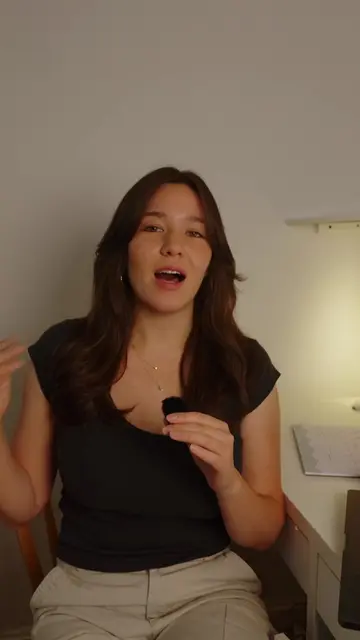
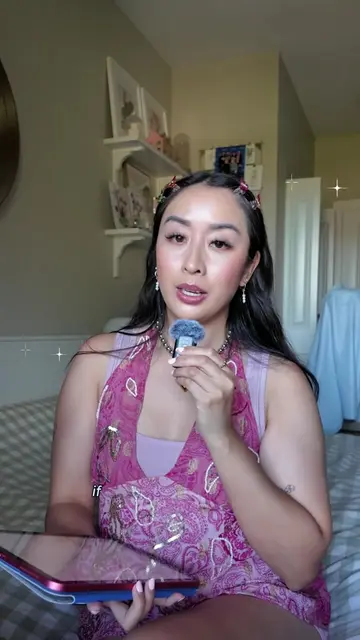
The creator provides a step-by-step tutorial on how she edits her vlogs using the CapCut mobile application. She demonstrates specific features like splitting clips, adjusting speed for a rewind effect, and adding sound effects.
here is the long awaited editing tutorial for my videos, hope this helps! 🫧 #dairyoflov3 #Vlog #diaries #fyp #editingtutorial
how i edit my videos
Introduction to the editing tutorial
Importing video clips into CapCut
Splitting and trimming clips
Exporting and re-importing for a rewind effect
Adding sound effects and text
CapCut: (a) it ACTS — the creator demonstrates its interface, uses its tools (split, speed, sounds, export), and shows the result of the editing process. Removing it would change the entire video. Burberry: (b) it merely APPEARS — a perfume bottle held in the creator's hand as part of the aesthetic. Removing it would not change the video. Lululemon: (b) it merely APPEARS — a logo on a clothing item. Removing it would not change the video. GoPro: (b) it merely APPEARS — a camera resting on the creator's lap. Removing it would not change the video.
Video editing app for creators making social media videos
Views and creators: posted in the last 30 days (English videos). Videos: all time.
Promotes 1 product. Create free account to see more.
Outliers and viral hits: their videos on Overshot, all time.